Electro Standards Laboratories Dual Channel, RJ45,CAT5e, A/B/C Switch with SSH and HTTPS GUI Model 7393

Description
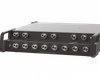
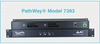
The PathWay® Model 7393 Dual Channel RJ45 Cat5e A/B/C Switch, with Telnet and GUI Remote allows the user the capability of sharing a single port interface device, connected to the COMMON port, among three other devices, connected to the A, B and C ports for each of channel. Remote access can be accomplished using an Ethernet 10/100 BASE-T connection and either Telnet commands or Graphical User Interface. The Model 7393 is enclosed in a 1U, full rack size, all metal black chassis designed to provide EMI/RFI shielding and fit in a standard 19" rack. Proper authentication is required for Remote access via 10/100Base-T connection. The user can monitor status and control switch functions. UTILIZING THE HTTPS REMOTE GRAPHICAL USER INTERFACE SOFTWARE To connect to the switch from a workstation or computer having access to the LAN that the switch's LAN port is connected to, simply launch a standard web browser and type in the URL: // Note that the "s" in "https" is required. The Java Applet will automatically be uploaded from the switch upon connection. The environment requirement for the GUI is Java 1.7u40 or the latest. FEATURES: Each channel allows access to three Cat5e RJ45 networks from one COMMON network or device. The switch ports are transparent to all data. All (8) pins of the RJ45 interface are switched via break-before-make electromechanical relays. Certified Cat5e performance. Unit will switch to the "A" position upon sensing power loss, and continue to pass data. Upon the return of power, the unit will remain in the A position. Simultaneous control of all channels. Front panel pushbutton control. Control of the switch position from a 10/100Base-T LAN Ethernet environment. Remote Control SSH Command interface or Graphical User Interface that allows the user to control switch position, lockout front panel operations, obtain switch status, as well as query firmware version number, query serial number, and enable/disable autosend of switch positions. Remote control of the switch is secured by user login with password protection and TLS/SSL cryptographic protocols. Front panel LED's display position and power status.
Datasheet
Description
The PathWay® Model 7393 Dual Channel RJ45 Cat5e A/B/C Switch, with Telnet and GUI Remote allows the user the capability of sharing a single port interface device, connected to the COMMON port, among three other devices, connected to the A, B and C ports for each of channel. Remote access can be accomplished using an Ethernet 10/100 BASE-T connection and either Telnet commands or Graphical User Interface. The Model 7393 is enclosed in a 1U, full rack size, all metal black chassis designed to provide EMI/RFI shielding and fit in a standard 19" rack. Proper authentication is required for Remote access via 10/100Base-T connection. The user can monitor status and control switch functions. UTILIZING THE HTTPS REMOTE GRAPHICAL USER INTERFACE SOFTWARE To connect to the switch from a workstation or computer having access to the LAN that the switch's LAN port is connected to, simply launch a standard web browser and type in the URL: // Note that the "s" in "https" is required. The Java Applet will automatically be uploaded from the switch upon connection. The environment requirement for the GUI is Java 1.7u40 or the latest. FEATURES: Each channel allows access to three Cat5e RJ45 networks from one COMMON network or device. The switch ports are transparent to all data. All (8) pins of the RJ45 interface are switched via break-before-make electromechanical relays. Certified Cat5e performance. Unit will switch to the "A" position upon sensing power loss, and continue to pass data. Upon the return of power, the unit will remain in the A position. Simultaneous control of all channels. Front panel pushbutton control. Control of the switch position from a 10/100Base-T LAN Ethernet environment. Remote Control SSH Command interface or Graphical User Interface that allows the user to control switch position, lockout front panel operations, obtain switch status, as well as query firmware version number, query serial number, and enable/disable autosend of switch positions. Remote control of the switch is secured by user login with password protection and TLS/SSL cryptographic protocols. Front panel LED's display position and power status.
Datasheet

Suppliers

Company
Product
Description
Supplier Links
Dual Channel, RJ45,CAT5e, A/B/C Switch with SSH and HTTPS GUI - Model 7393 - Electro Standards Laboratories
Cranston, RI, USA
Dual Channel, RJ45,CAT5e, A/B/C Switch with SSH and HTTPS GUI
Model 7393
Dual Channel, RJ45,CAT5e, A/B/C Switch with SSH and HTTPS GUI Model 7393
The PathWay® Model 7393 Dual Channel RJ45 Cat5e A/B/C Switch, with Telnet and GUI Remote allows the user the capability of sharing a single port interface device, connected to the COMMON port, among three other devices, connected to the A, B and C ports for each of channel. Remote access can be accomplished using an Ethernet 10/100 BASE-T connection and either Telnet commands or Graphical User Interface. The Model 7393 is enclosed in a 1U, full rack size, all metal black chassis designed to provide EMI/RFI shielding and fit in a standard 19" rack. Proper authentication is required for Remote access via 10/100Base-T connection. The user can monitor status and control switch functions. UTILIZING THE HTTPS REMOTE GRAPHICAL USER INTERFACE SOFTWARE To connect to the switch from a workstation or computer having access to the LAN that the switch's LAN port is connected to, simply launch a standard web browser and type in the URL: // Note that the "s" in "https" is required. The Java Applet will automatically be uploaded from the switch upon connection. The environment requirement for the GUI is Java 1.7u40 or the latest. FEATURES: Each channel allows access to three Cat5e RJ45 networks from one COMMON network or device. The switch ports are transparent to all data. All (8) pins of the RJ45 interface are switched via break-before-make electromechanical relays. Certified Cat5e performance. Unit will switch to the "A" position upon sensing power loss, and continue to pass data. Upon the return of power, the unit will remain in the A position. Simultaneous control of all channels. Front panel pushbutton control. Control of the switch position from a 10/100Base-T LAN Ethernet environment. Remote Control SSH Command interface or Graphical User Interface that allows the user to control switch position, lockout front panel operations, obtain switch status, as well as query firmware version number, query serial number, and enable/disable autosend of switch positions. Remote control of the switch is secured by user login with password protection and TLS/SSL cryptographic protocols. Front panel LED's display position and power status.

The PathWay® Model 7393 Dual Channel RJ45 Cat5e A/B/C Switch, with Telnet and GUI Remote allows the user the capability of sharing a single port interface device, connected to the COMMON port, among three other devices, connected to the A, B and C ports for each of channel.

Remote access can be accomplished using an Ethernet 10/100 BASE-T connection and either Telnet commands or Graphical User Interface. The Model 7393 is enclosed in a 1U, full rack size, all metal black chassis designed to provide EMI/RFI shielding and fit in a standard 19" rack.

Proper authentication is required for Remote access via 10/100Base-T connection. The user can monitor status and control switch functions.

UTILIZING THE HTTPS REMOTE GRAPHICAL USER INTERFACE SOFTWARE

To connect to the switch from a workstation or computer having access to the LAN that the switch's LAN port is connected to, simply launch a standard web browser and type in the URL: //<ip address of switch> Note that the "s" in "https" is required. The Java Applet will automatically be uploaded from the switch upon connection. The environment requirement for the GUI is Java 1.7u40 or the latest.

FEATURES:

  • Each channel allows access to three Cat5e RJ45 networks from one COMMON network or device.
  • The switch ports are transparent to all data.
  • All (8) pins of the RJ45 interface are switched via break-before-make electromechanical relays.
  • Certified Cat5e performance.
  • Unit will switch to the "A" position upon sensing power loss, and continue to pass data.
  • Upon the return of power, the unit will remain in the A position.
  • Simultaneous control of all channels.
  • Front panel pushbutton control.
  • Control of the switch position from a 10/100Base-T LAN Ethernet environment.
  • Remote Control SSH Command interface or Graphical User Interface that allows the user to control switch position, lockout front panel operations, obtain switch status, as well as query firmware version number, query serial number, and enable/disable autosend of switch positions.
  • Remote control of the switch is secured by user login with password protection and TLS/SSL cryptographic protocols.
  • Front panel LED's display position and power status.

Supplier's Site Datasheet

Technical Specifications

  Electro Standards Laboratories
Product Category Network Equipment
Product Number Model 7393
Product Name Dual Channel, RJ45,CAT5e, A/B/C Switch with SSH and HTTPS GUI
Network Equipment Switch
Unlock Full Specs
to access all available technical data

Similar Products

LTX-100 - LTX-100 Gateway - BinMaster, Inc.
Specs
Network Equipment Hub; Gateway; Multiplexer; Transceiver
Area Network Type WLAN
Network Media Wireless
View Details
INTREPID WirelessHART® - Field Gateway - United Electric Controls Company
United Electric Controls Company
Specs
Network Equipment Gateway
Area Network Type LAN Capable; WAN Capable
Form Factor Wall Mount
View Details
Switches, Hubs - 2084-BB-SEGP528-4SFP-T-ND - DigiKey
Specs
Network Equipment Switch
Ports / Interfaces RJ45, SFP
Number of Ports 28 #
View Details
CL260 Ultra Small Form Factor Intel N-Series Edge Gateway - CL260 - OnLogic Inc.
Specs
Network Equipment Gateway
Number of Ports 1 #
View Details