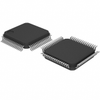
The device is designed for various motor control automotive applications. To support these applications, the device provides the main functions, such as a 5 V lowdropout voltage regulator one HS-CAN transceiver supporting CAN FD, CAN Partial Networking (incl. FD Tolerant Mode), one LIN transceiver, four half-bridges for DC motor control, and one 32 bit serial peripheral interface (SPI). The device includes diagnostic and supervision features, such as drain-source monitoring and open-load detection, short circuit protection, configurable time-out and window watchdog, fail-safe output, as well as overtemperature protection.
Summary of Features
Low-drop voltage regulator 5 V, 250 mA for main supply
Four half-bridge gate drivers for external N-channel MOSFETs
High-speed CAN transceiver supporting CAN FD communication up to 5 Mbit/s according to ISO11898-2:2016 including selective wake-up functionality via CAN partial networking and CAN FD tolerant mode
LIN Transceivers LIN2.2/SAE J2602 with programmable TXD time-out feature and LIN flash mode
Four high-side outputs 7 Ω typ
Two PWM inputs High-side and low-side PWM capable Active free-wheeling Up to 25 kHz PWM frequency
32 bit serial peripheral interface (SPI) with cyclic redundancy check (CRC)
Very low quiescent current consumption in Stop Mode and Sleep Mode
Diagnostic and supervision features
Benefits
Reduced PCB board saving up to 50 percent due to integration approach
Lower switching losses and EMC optimization due to adaptive MOSFET control
Automatic regulation of MOSFET pre-charge currents diminish need for production MOSFET calibration
VS monitoring in sleep mode activates MOSFET to prevent from ECU damage when motor is in generator mode Product validation Qualified for automotive applications. Product validation according to AEC-Q100/101
Potential Applications
Seat control modules
Smart power closure systems, such as power liftgate, power sliding door, power tailgate, sunroof
Seatbelt pretension and many other
Applications
Active suspension control
Door control module
Electric power steering (EPS)
Roof control module with interior and ambient light control
Type - Package - Marking MOTIXTM TLE9562-3QX PG-VQFN-48 MOTIXTM TLE9562-3QX Type - Package - Marking
MOTIX™ TLE956x is ISO26262-ready! How to obtain Safety Application Note?
What is myICP?
myInfineon Collabo ration Platf orm, otherwise known as the myICP is a portal through which you can access all the documentation related to Infineon’s products. While most documentation is accessible via Infineon’s website, confidential documents requiring Non-Disclosure Agreements (NDAs) from customers can be accessed from myICP.
How to get access?
Access to myICP is granted in three basic steps:
Step 1: Register to myInfineon Platform.
Sign up to MyInfineon here
Type in the necessary information in the registration form
Activate your account by clicking on the link in the e-mail sent to you
Step 2: Become promoted user in myInfineon by contacting your Infineon counterpart or by clicking the promotion banner in the My Profile tab on MyInfineon.
Step 3: Get access to the required documentation.
The device is designed for various motor control automotive applications. To support these applications, the device provides the main functions, such as a 5 V lowdropout voltage regulator one HS-CAN transceiver supporting CAN FD, CAN Partial Networking (incl. FD Tolerant Mode), one LIN transceiver, four half-bridges for DC motor control, and one 32 bit serial peripheral interface (SPI). The device includes diagnostic and supervision features, such as drain-source monitoring and open-load detection, short circuit protection, configurable time-out and window watchdog, fail-safe output, as well as overtemperature protection.
Summary of Features
- Low-drop voltage regulator 5 V, 250 mA for main supply
- Four half-bridge gate drivers for external N-channel MOSFETs
- High-speed CAN transceiver supporting CAN FD communication up to 5 Mbit/s according to ISO11898-2:2016 including selective wake-up functionality via CAN partial networking and CAN FD tolerant mode
- LIN Transceivers LIN2.2/SAE J2602 with programmable TXD time-out feature and LIN flash mode
- Four high-side outputs 7 Ω typ
- Two PWM inputs
- High-side and low-side PWM capable
- Active free-wheeling
- Up to 25 kHz PWM frequency
- 32 bit serial peripheral interface (SPI) with cyclic redundancy check (CRC)
- Very low quiescent current consumption in Stop Mode and Sleep Mode
- Diagnostic and supervision features
Benefits
- Reduced PCB board saving up to 50 percent due to integration approach
- Lower switching losses and EMC optimization due to adaptive MOSFET control
- Automatic regulation of MOSFET pre-charge currents diminish need for production MOSFET calibration
- VS monitoring in sleep mode activates MOSFET to prevent from ECU damage when motor is in generator mode
- Product validation Qualified for automotive applications. Product validation according to AEC-Q100/101
Potential Applications
- Seat control modules
- Smart power closure systems, such as power liftgate, power sliding door, power tailgate, sunroof
- Seatbelt pretension and many other
Applications
- Active suspension control
- Door control module
- Electric power steering (EPS)
- Roof control module with interior and ambient light control
Type - Package - Marking
MOTIXTM TLE9562-3QX PG-VQFN-48 MOTIXTM TLE9562-3QX
Type - Package - Marking
MOTIX™ TLE956x is ISO26262-ready! How to obtain Safety Application Note?
What is myICP?
myInfineon Collabo ration Platf orm, otherwise known as the myICP is a portal through which you can access all the documentation related to Infineon’s products. While most documentation is accessible via Infineon’s website, confidential documents requiring Non-Disclosure Agreements (NDAs) from customers can be accessed from myICP.
How to get access?
Access to myICP is granted in three basic steps:
Step 1: Register to myInfineon Platform.
- Sign up to MyInfineon here
- Type in the necessary information in the registration form
- Activate your account by clicking on the link in the e-mail sent to you
Step 2: Become promoted user in myInfineon by contacting your Infineon counterpart or by clicking the promotion banner in the My Profile tab on MyInfineon.
Step 3: Get access to the required documentation.