Ideal for sharing laboratory test equipment having a BNC coaxial cable interface.
Specifications:
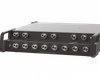
PORT CONNECTORS: (3) Isolated BNC coaxial connectors, A, B & COM.
FRONT PANEL CONTROL: (1) Manual pushbutton allows local switching.
DISPLAY: (2) Front panel LED's display switch position and power status.
REMOTE CONTROL: (1) DB9 (F) REMOTE connector on rear panel accepts ASCII RS232 Serial Data.
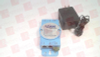
POWER: UL approved 100VAC/240VAC, 50Hz/60Hz wall mount power module supplies 12 VDC, 500mA to the unit. Has 2-prong, US, non-polarized plug.
DIMENSIONS: Desktop 5.25" W x 7.25" D x 2.0" H.
WEIGHT: Approximately 2.0 lbs (0.91 Kg)
95 OHM IMPEDANCE BNC NETWORK APPLICATION WITH RS232 REMOTE PORT: The diagram illustrates a shared test equipment connected to the COMMON port sharing between Device A and Device B connected to the A and B ports. The DB9 Remote accepts ASCII RS232 Serial data commands for Remote Control Operation.
Features:
Allows quick connection to any one of two BNC interface devices from one COMMON device.
(3) Isolated BNC connectors on rear panel.
Center pin and shell of each BNC connector are switched.
Eliminates the need to plug and unplug cables.
Local control via front-panel pushbutton.
The REMOTE port accepts RS232 Serial Data ASCII commands for switch position and control.
Front panel LED's display switch position and power status.
Retains last switch position in the event of a power loss and continues to pass data.
Attractive anodized black box packaging provides EMI/RFI shielding.
Custom length 93 Ohm BNC coaxial cables available for your switch installation. Call for quote.
For 50 Ohm BNC Switch, see Model 7202, Cat No 307202
For 75 Ohm BNC Switch, see Model 7302, Cat No 307302
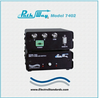
The PathWay Model 7402 BNC A/B Switch Box with Remote allows the user the capability of accessing two separate 93 Ohm BNC ports via the COMMON port. The switch may be controlled manually via a front panel pushbutton or remotely from a DB9/female RS-232 serial port located on the rear panel. Switch position status may be attained via the front panel LED display or the remote RS232 serial port located on the rear of the unit.
- Ideal for sharing laboratory test equipment having a BNC coaxial cable interface.
Specifications:
- PORT CONNECTORS: (3) Isolated BNC coaxial connectors, A, B & COM.
- FRONT PANEL CONTROL: (1) Manual pushbutton allows local switching.
- DISPLAY: (2) Front panel LED's display switch position and power status.
- REMOTE CONTROL: (1) DB9 (F) REMOTE connector on rear panel accepts ASCII RS232 Serial Data.
- POWER: UL approved 100VAC/240VAC, 50Hz/60Hz wall mount power module supplies 12 VDC, 500mA to the unit. Has 2-prong, US, non-polarized plug.
- DIMENSIONS: Desktop 5.25" W x 7.25" D x 2.0" H.
- WEIGHT: Approximately 2.0 lbs (0.91 Kg)
95 OHM IMPEDANCE BNC NETWORK APPLICATION WITH RS232 REMOTE PORT: The diagram illustrates a shared test equipment connected to the COMMON port sharing between Device A and Device B connected to the A and B ports. The DB9 Remote accepts ASCII RS232 Serial data commands for Remote Control Operation.
Features:
- Allows quick connection to any one of two BNC interface devices from one COMMON device.
- (3) Isolated BNC connectors on rear panel.
- Center pin and shell of each BNC connector are switched.
- Eliminates the need to plug and unplug cables.
- Local control via front-panel pushbutton.
- The REMOTE port accepts RS232 Serial Data ASCII commands for switch position and control.
- Front panel LED's display switch position and power status.
- Retains last switch position in the event of a power loss and continues to pass data.
- Attractive anodized black box packaging provides EMI/RFI shielding.
- Custom length 93 Ohm BNC coaxial cables available for your switch installation. Call for quote.
- For 50 Ohm BNC Switch, see Model 7202, Cat No 307202
- For 75 Ohm BNC Switch, see Model 7302, Cat No 307302
The PathWay Model 7402 BNC A/B Switch Box with Remote allows the user the capability of accessing two separate 93 Ohm BNC ports via the COMMON port. The switch may be controlled manually via a front panel pushbutton or remotely from a DB9/female RS-232 serial port located on the rear panel. Switch position status may be attained via the front panel LED display or the remote RS232 serial port located on the rear of the unit.