Electro Standards Laboratories RJ45 100-BASE-T A/B Switch with Remote Model 7345

Description
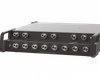
The PathWay® Model 7345 Cat5 RJ45 Interface A/B Switch allows users to connect a workstation or device between two other devices or networks. The switch employs an RJ45 Cat5 connector interface on ports A, B, and Common. A front panel pushbutton allows the user to select the switch position. LED indicators on the front panel display the switch position. The unit also has an RS232 serial port for remote control. The Remote port allows monitoring and control of the switch unit. A terminal or a computer in terminal mode connected to this port can communicate with the unit, determine its status, change the switch position as desired, and/or lockout front panel switching capability.
Datasheet
Description
The PathWay® Model 7345 Cat5 RJ45 Interface A/B Switch allows users to connect a workstation or device between two other devices or networks. The switch employs an RJ45 Cat5 connector interface on ports A, B, and Common. A front panel pushbutton allows the user to select the switch position. LED indicators on the front panel display the switch position. The unit also has an RS232 serial port for remote control. The Remote port allows monitoring and control of the switch unit. A terminal or a computer in terminal mode connected to this port can communicate with the unit, determine its status, change the switch position as desired, and/or lockout front panel switching capability.
Datasheet

Suppliers

Company
Product
Description
Supplier Links
RJ45 100-BASE-T A/B Switch with Remote - Model 7345 - Electro Standards Laboratories
Cranston, RI, USA
RJ45 100-BASE-T A/B Switch with Remote
Model 7345
RJ45 100-BASE-T A/B Switch with Remote Model 7345
The PathWay® Model 7345 Cat5 RJ45 Interface A/B Switch allows users to connect a workstation or device between two other devices or networks. The switch employs an RJ45 Cat5 connector interface on ports A, B, and Common. A front panel pushbutton allows the user to select the switch position. LED indicators on the front panel display the switch position. The unit also has an RS232 serial port for remote control. The Remote port allows monitoring and control of the switch unit. A terminal or a computer in terminal mode connected to this port can communicate with the unit, determine its status, change the switch position as desired, and/or lockout front panel switching capability.

The PathWay® Model 7345 Cat5 RJ45 Interface A/B Switch allows users to connect a workstation or device between two other devices or networks. The switch employs an RJ45 Cat5 connector interface on ports A, B, and Common. A front panel pushbutton allows the user to select the switch position. LED indicators on the front panel display the switch position.

The unit also has an RS232 serial port for remote control. The Remote port allows monitoring and control of the switch unit. A terminal or a computer in terminal mode connected to this port can communicate with the unit, determine its status, change the switch position as desired, and/or lockout front panel switching capability.

Supplier's Site Datasheet

Technical Specifications

  Electro Standards Laboratories
Product Category Network Equipment
Product Number Model 7345
Product Name RJ45 100-BASE-T A/B Switch with Remote
Network Equipment Switch
Area Network Type LAN Capable
Form Factor Rack Mount
Unlock Full Specs
to access all available technical data

Similar Products

LoRa Wireless Gateway - HW500 - Holykell Technology Company Limited
Holykell Technology Company Limited
Specs
Network Equipment Gateway
Network Media Wireless
View Details
Port Extender for 75 Ohm VNAs - PE0312-75 - Copper Mountain Technologies
Copper Mountain Technologies
Specs
Network Equipment Repeater
Number of Ports 12 #
View Details
Accessories SD interface - Gateway - SD-I-U-EIP - 101210747 - Schmersal Inc.
Specs
Network Equipment Gateway
Protocol / Network EtherNet IP
View Details
RAD Data Communications Short Range Async Modem - SRM-5D/M/TB - Classic Automation LLC
Specs
Network Equipment Modem
View Details