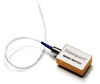
Electro Standards Laboratories QuickSwitch® Model 6282

Description
The QuickSwitch® 4192 fiber optic network switch allows a fiber optic device connected to the SC duplex COMMON connector of the unit to access any of four fiber optic networks connected to the A, B, C or D ports, or to disconnect completely from all output ports. The switch position can be changed either by depressing the desired front panel A/B/C/D/Off-Line pushbuttons, or by a device connected to the Remote port. Applying appropriate voltage to designated pins of the Remote connector will cause the switch to change position.
Datasheet
Description
The QuickSwitch® 4192 fiber optic network switch allows a fiber optic device connected to the SC duplex COMMON connector of the unit to access any of four fiber optic networks connected to the A, B, C or D ports, or to disconnect completely from all output ports. The switch position can be changed either by depressing the desired front panel A/B/C/D/Off-Line pushbuttons, or by a device connected to the Remote port. Applying appropriate voltage to designated pins of the Remote connector will cause the switch to change position.
Datasheet

Suppliers

Company
Product
Description
Supplier Links
QuickSwitch® - Model 6282 - Electro Standards Laboratories
Cranston, RI, USA
QuickSwitch®
Model 6282
QuickSwitch® Model 6282
The QuickSwitch® 4192 fiber optic network switch allows a fiber optic device connected to the SC duplex COMMON connector of the unit to access any of four fiber optic networks connected to the A, B, C or D ports, or to disconnect completely from all output ports. The switch position can be changed either by depressing the desired front panel A/B/C/D/Off-Line pushbuttons, or by a device connected to the Remote port. Applying appropriate voltage to designated pins of the Remote connector will cause the switch to change position.

The QuickSwitch® 4192 fiber optic network switch allows a fiber optic device connected to the SC duplex COMMON connector of the unit to access any of four fiber optic networks connected to the A, B, C or D ports, or to disconnect completely from all output ports. The switch position can be changed either by depressing the desired front panel A/B/C/D/Off-Line pushbuttons, or by a device connected to the Remote port. Applying appropriate voltage to designated pins of the Remote connector will cause the switch to change position.

Supplier's Site Datasheet

Technical Specifications

  Electro Standards Laboratories
Product Category Fiber Optic Switches
Product Number Model 6282
Product Name QuickSwitch®
Cable Type Multimode
Connector Type SC
Interface RS232
Switch Features LED Indicator
Unlock Full Specs
to access all available technical data

Similar Products

MEMS Fiber-Optic Switch, 1x2, TTL Controls, FC/PC - MS-1315TT-12-PC - Newport MKS
Specs
Cable Type Single Mode
Operating Temperature -5 to 70 C (23 to 158 F)
View Details
QuickSwitch® - Model 7188 - Electro Standards Laboratories
Electro Standards Laboratories
Specs
Cable Type Multimode
Connector Type LC; LC Duplex
Interface RJ-45; DB9
View Details
2X4 Non-Latching Optical Switch - FOSWA-2-4-N - Lightwave Link, Inc.
Specs
Cable Type Single Mode / Multimode
Connector Type FC (optional feature); LC (optional feature); MT-RJ (optional feature); MU (optional feature); SC (optional feature); ST (optional feature)
Package Type 7.6mm H x 11mm W x 22.6mm L
View Details
24 Port 10/100/1000 PoE+ Fiber Optic Switch - SG72660MP - Versitron, Inc.
Specs
Cable Type Single Mode / Multimode
Interface RJ-45
Switch Features LED Indicator
View Details