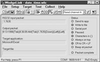
WedgeLink RS232C Software Utility... allows you to transfer measurements from your DIGI-MET or any RS232C gage directly to Windows applications such as Microsoft Excel or your favorite SPC software program. You may even write the data to your own disk file. Data parsing is also available if you need to remove or add information.
Key Features Serial Communications
You can have 2 serial devices connected simultaneously to WedgeLink.
If your computer does not have any physical serial ports, you can easily add 1 or more serial ports with a USB to serial cable.
Separate parsing schemes can be set up for the data coming from each serial port. Data Parsing (WedgeLink Standard only)
5 independent parsing schemes can be created.
You can specify which input port the scheme will be applied to.
If a packet contains a unique string, WedgeLink can select the parsing scheme to be applied to this packet based on the unique strong.
Each parsing scheme allows you to do the following: Specify a prefix string to add to the beginning of each data packet. Specify a suffix string to add to the end of each data packet. Add the date and/or time to the data packet. Delete unwanted characters or character positions. Insert strings before or after specified character positions. Discard packets that do not contain the specified match string. Replace specified characters with a unique string. Math functions for screening high/low values, finding numeric fields, applying equations, etc. A packet can be identified by any combination of the following: A unique end-of-packet character. Number of characters in the packet. Gap time between packets. Testing
There are two types of testing built into WedgeLink: Data Parsing (WedgeLink Standard only) and Serial Communications. Often the information coming from your serial device is in a different format than what many customers realize. The testing features we have built into WedgeLink will enable you to get your system up and running in a minimum amount of time.
Data Parsing testing allows you to simulate the input from your serial device so that you can verify that you have properly set up your data parsing.
Serial Communications testing allows you to verify the format of the information that is sent from your serial device, and to test the commands that you may need to send to your serial device. DDE
Support for both WedgeLink Lite and Standard.
WedgeLink RS232C Software Utility...
allows you to transfer measurements from your DIGI-MET or any RS232C gage directly to Windows applications such as Microsoft Excel or your favorite SPC software program. You may even write the data to your own disk file. Data parsing is also available if you need to remove or add information.
Key Features Serial Communications
- You can have 2 serial devices connected simultaneously to WedgeLink.
- If your computer does not have any physical serial ports, you can easily add 1 or more serial ports with a USB to serial cable.
- Separate parsing schemes can be set up for the data coming from each serial port. Data Parsing (WedgeLink Standard only)
- 5 independent parsing schemes can be created.
- You can specify which input port the scheme will be applied to.
- If a packet contains a unique string, WedgeLink can select the parsing scheme to be applied to this packet based on the unique strong.
- Each parsing scheme allows you to do the following: Specify a prefix string to add to the beginning of each data packet. Specify a suffix string to add to the end of each data packet. Add the date and/or time to the data packet. Delete unwanted characters or character positions. Insert strings before or after specified character positions. Discard packets that do not contain the specified match string. Replace specified characters with a unique string. Math functions for screening high/low values, finding numeric fields, applying equations, etc. A packet can be identified by any combination of the following: A unique end-of-packet character. Number of characters in the packet. Gap time between packets. Testing
- There are two types of testing built into WedgeLink: Data Parsing (WedgeLink Standard only) and Serial Communications. Often the information coming from your serial device is in a different format than what many customers realize. The testing features we have built into WedgeLink will enable you to get your system up and running in a minimum amount of time.
- Data Parsing testing allows you to simulate the input from your serial device so that you can verify that you have properly set up your data parsing.
- Serial Communications testing allows you to verify the format of the information that is sent from your serial device, and to test the commands that you may need to send to your serial device. DDE
- Support for both WedgeLink Lite and Standard.