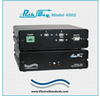
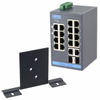
Allows quick connection to any one of two USB Type-A interface devices from one COMMON device!
The A, B, and Common ports all are Type-A USB connectors.
Switches all 4 pins of the USB interface.
Eliminates the need to plug and unplug cables.
Transparent to data speed and format.
Local control via front-panel pushbutton.
Remote control port allows off-site monitoring and switch management.
The REMOTE port accepts RS232 Serial Data ASCII commands for switch position control and monitoring.
Front-panel pushbutton control can be locked out, remotely.
Front panel LED's display switch position and power status.
Retains last switch position in the event of a power loss and continues to pass data.
Attractive anodized black box packaging provides EMI/RFI shielding.
Electro Standards Laboratories
Done
Datasheet
Description
Allows quick connection to any one of two USB Type-A interface devices from one COMMON device!
The A, B, and Common ports all are Type-A USB connectors.
Switches all 4 pins of the USB interface.
Eliminates the need to plug and unplug cables.
Transparent to data speed and format.
Local control via front-panel pushbutton.
Remote control port allows off-site monitoring and switch management.
The REMOTE port accepts RS232 Serial Data ASCII commands for switch position control and monitoring.
Front-panel pushbutton control can be locked out, remotely.
Front panel LED's display switch position and power status.
Retains last switch position in the event of a power loss and continues to pass data.
Attractive anodized black box packaging provides EMI/RFI shielding.
Allows quick connection to any one of two USB Type-A interface devices from one COMMON device!
The A, B, and Common ports all are Type-A USB connectors.
Switches all 4 pins of the USB interface.
Eliminates the need to plug and unplug cables.
Transparent to data speed and format.
Local control via front-panel pushbutton.
Remote control port allows off-site monitoring and switch management.
The REMOTE port accepts RS232 Serial Data ASCII commands for switch position control and monitoring.
Front-panel pushbutton control can be locked out, remotely.
Front panel LED's display switch position and power status.
Retains last switch position in the event of a power loss and continues to pass data.
Attractive anodized black box packaging provides EMI/RFI shielding.
Allows quick connection to any one of two USB Type-A interface devices from one COMMON device!
The A, B, and Common ports all are Type-A USB connectors.
Switches all 4 pins of the USB interface.
Eliminates the need to plug and unplug cables.
Transparent to data speed and format.
Local control via front-panel pushbutton.
Remote control port allows off-site monitoring and switch management.
The REMOTE port accepts RS232 Serial Data ASCII commands for switch position control and monitoring.
Front-panel pushbutton control can be locked out, remotely.
Front panel LED's display switch position and power status.
Retains last switch position in the event of a power loss and continues to pass data.
Attractive anodized black box packaging provides EMI/RFI shielding.