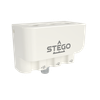
MODEL 4329 -- CELLMITE® WIRELESS DIGITAL SIGNAL CONDITIONER
Electro Standards LaboratoriesCellMite® Wireless Digital Signal ConditionerModel 4329
Description
Model 4329 connects directly to a standard strain gage, load cell, extensometer, or pressure transducer.
Wireless communication to 1500 feet.
Wireless network with up to 8 CellMites®, no cables needed.
Simplified distributed process measurements.
Wireless transmission to Model 4329M Master CellMite® (Catalog Number 302239) which directly connects to a PC with RS232- USB.
Monitor and control networked units with Graphical User Interface (GUI).
+/-10V analog output can be used for local indication and control.
Simultaneous analog output and wireless communication.
Din Rail mount available.
Electro Standards Laboratories
Done
Datasheet
Description
Model 4329 connects directly to a standard strain gage, load cell, extensometer, or pressure transducer.
Wireless communication to 1500 feet.
Wireless network with up to 8 CellMites®, no cables needed.
Simplified distributed process measurements.
Wireless transmission to Model 4329M Master CellMite® (Catalog Number 302239) which directly connects to a PC with RS232- USB.
Monitor and control networked units with Graphical User Interface (GUI).
+/-10V analog output can be used for local indication and control.
Simultaneous analog output and wireless communication.
Din Rail mount available.
CellMite® Wireless Digital Signal Conditioner
Model 4329
CellMite® Wireless Digital Signal Conditioner
Model 4329
Model 4329 connects directly to a standard strain gage, load cell, extensometer, or pressure transducer.
Wireless communication to 1500 feet.
Wireless network with up to 8 CellMites®, no cables needed.
Simplified distributed process measurements.
Wireless transmission to Model 4329M Master CellMite® (Catalog Number 302239) which directly connects to a PC with RS232- USB.
Monitor and control networked units with Graphical User Interface (GUI).
+/-10V analog output can be used for local indication and control.
Simultaneous analog output and wireless communication.
Din Rail mount available.
Model 4329 connects directly to a standard strain gage, load cell, extensometer, or pressure transducer.
Wireless communication to 1500 feet.
Wireless network with up to 8 CellMites®, no cables needed.
Simplified distributed process measurements.
Wireless transmission to Model 4329M Master CellMite® (Catalog Number 302239) which directly connects to a PC with RS232- USB.
Monitor and control networked units with Graphical User Interface (GUI).
+/-10V analog output can be used for local indication and control.
Simultaneous analog output and wireless communication.