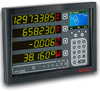
Beijer Electronics Industrial / Commercial Terminals QTERM-G55

Description
Resistive touch screen w/ soft keys around viewable area
Description
Resistive touch screen w/ soft keys around viewable area

Suppliers

Company
Product
Description
Supplier Links
Salt Lake City, UT, USA
Industrial / Commercial Terminals
QTERM-G55
Industrial / Commercial Terminals QTERM-G55
Resistive touch screen w/ soft keys around viewable area

Resistive touch screen w/ soft keys around viewable area

Supplier's Site
Salt Lake City, UT, USA
Industrial / Commercial Terminals
QTERM-G55
Industrial / Commercial Terminals QTERM-G55
320 x 240 grayscale transflective, LED backlight, handheld or panel mount

320 x 240 grayscale transflective, LED backlight, handheld or panel mount

Supplier's Site

Technical Specifications

  Beijer Electronics Beijer Electronics
Product Category Human Machine Interfaces Human Machine Interfaces
Product Number QTERM-G55 QTERM-G55
Product Name Industrial / Commercial Terminals Industrial / Commercial Terminals
Devices Supported 1 1
Configuration Panel Handheld
I/O Interfaces Ethernet; RS232; RS422 (optional feature); RS485 (optional feature) Ethernet; RS232; RS422 (optional feature); RS485 (optional feature)
Features / Applications NEMA Enclosure; Power Over Ethernet; Real Time Clock (optional feature); Software Driver; Speakers NEMA Enclosure; Power Over Ethernet; Real Time Clock (optional feature); Software Driver; Speakers
Certifications CE Certified, FCC Part 15, Class A CE Certified, FCC Part 15, Class A
Unlock Full Specs
to access all available technical data

Similar Products

Programmable Operator Interface - MONITOUCH HMI V9 V9150iXD-U003 - Fuji Electric Corp. of America
Specs
Configuration Panel
I/O Interfaces Ethernet; USB; Serial
Type Flat Panel Display
View Details
Operator Interface - 50780056 - Radwell International
Yaskawa America, Inc. - Motion Division
View Details
Touch Screen Operator Interface - HMI004 - Control Instruments Corp.
Specs
Devices Supported 9
Devices Controlled Remote Analyzers
Configuration Panel
View Details