Design Features
Up to 4 axes of brush, stepper or brushless AC motors
Aerotech's FlashConfig feature automatically configures axis parameters based on the connected stage type
Touch screen with intuitive menu-driven interface for quick and easy access to system functionality
Joystick input for manual control of motor positions
Ethernet and USB 2.0 communication interfaces
ASCII-based command protocol for Windows or Linux remote control
Advanced Windows-based remote diagnostics, tuning and programming interface software
Program in AeroBasic using Aerotech's IDE or create custom remote interfaces with Microsoft .NET including C#, VB.NET, Managed C++ or LabVIEW
Standard quadrature or optional analog sin/cos encoder feedback with up to 65,536X interpolation
Programmable micro-step resolution of up to 20,000X for smooth low-speed operation
Linear and arc motion with constant velocity or point-to-point interpolation
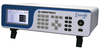
Ensemble® Lab is designed for applications where ease of operation is desired without sacrificing overall system capability. The front-panel interface allows an operator to quickly execute simple operations such as jogging, homing, and moving to fixed positions. For more complex operations the Ensemble LAB has onboard memory for storing programs that can be accessed from the front panel or through remote control.
Touch Screen Interface
In addition to the front key-panel the Ensemble LAB comes equipped with a full color, touch-enabled LCD display. An intuitive tabbed interface provides single press access to all setup and operation screens.
Powerful Programming Functionality
Unlike most competitive products that use cryptic two-letter mnemonics, the Ensemble LAB is programmed in an easily readable BASIC-like syntax. The Ensemble LAB is programmed off-line with a graphical user interface in Windows®, featuring an intuitive Program Editor, Variable Output window, Compiler Output window and Task State monitor. After the programs are developed and tested they can be downloaded and stored on the controller for future use.
Design Features
- Up to 4 axes of brush, stepper or brushless AC motors
- Aerotech's FlashConfig feature automatically configures axis parameters based on the connected stage type
- Touch screen with intuitive menu-driven interface for quick and easy access to system functionality
- Joystick input for manual control of motor positions
- Ethernet and USB 2.0 communication interfaces
- ASCII-based command protocol for Windows or Linux remote control
- Advanced Windows-based remote diagnostics, tuning and programming interface software
- Program in AeroBasic using Aerotech's IDE or create custom remote interfaces with Microsoft .NET including C#, VB.NET, Managed C++ or LabVIEW
- Standard quadrature or optional analog sin/cos encoder feedback with up to 65,536X interpolation
- Programmable micro-step resolution of up to 20,000X for smooth low-speed operation
- Linear and arc motion with constant velocity or point-to-point interpolation
Ensemble® Lab is designed for applications where ease of operation is desired without sacrificing overall system capability. The front-panel interface allows an operator to quickly execute simple operations such as jogging, homing, and moving to fixed positions. For more complex operations the Ensemble LAB has onboard memory for storing programs that can be accessed from the front panel or through remote control.
Touch Screen Interface
In addition to the front key-panel the Ensemble LAB comes equipped with a full color, touch-enabled LCD display. An intuitive tabbed interface provides single press access to all setup and operation screens.
Powerful Programming Functionality
Unlike most competitive products that use cryptic two-letter mnemonics, the Ensemble LAB is programmed in an easily readable BASIC-like syntax. The Ensemble LAB is programmed off-line with a graphical user interface in Windows®, featuring an intuitive Program Editor, Variable Output window, Compiler Output window and Task State monitor. After the programs are developed and tested they can be downloaded and stored on the controller for future use.