Visual Sound, Inc. 50-inch High Definition Plasma Display TH-50PD12U

Description
Panasonic The 12 series displays deliver the high performance expected from our Professional Displays while being able to provide a more cost effective solution when extensive connectivity options are not needed. The 50-inch TH-50PD12UK includes fixed terminals to support component, composite, S-video, or PC (D-sub 15) inputs, which make this model ideal for basic use in presentation or signage applications. For even deeper, richer blacks, our new 12-Series PD plasmas achieve a contrast ratio of an incredible 30,000:1. Also new for these 720p displays is improved video processing that provides crisp, clear motion images with the equivalent of an industry leading 5,120 shades of gradation. The TH-50PD12UK includes a remote controller (model # N2QAYB000432). When it comes to durability, our panels can be counted on and our TH-50PD12UK is no exception - it has an incredibly long estimated service life of 100,000 hours and is backed by a full 2-year on-site parts and labor limited warranty. And as always, our Plasma Concierge Service provides a toll-free hotline and 24-hour priority scheduling of on-site service if the display is in need of service or repair. Audio Input Select The video and audio input can each be independently selected. This makes it possible to achieve flexible combinations of images and sounds. 4x Digital Zoom This function lets you enlarge a portion of an image by up to four times its normal size and display it on the full screen. Use this function to give your presentations greater impact. Automatic Picture Positioning Simply press the Auto Setup key on the remote control to position the picture. This function automatically corrects horizontal and vertical picture positions, clock phase, and dot clock when an analog RGB signal is input. The adjustment results in optimal standard values for horizontal and vertical picture sizes. Tamper-Resistant Settings You can prevent operating errors in public places by making tamper-resistant settings in advance. Maximum volume level - sets the maximum sound volume Input lock - locks the input switch operation Button lock - restricts the button operations Remote user level - restricts the key operations on the remote control Energy-Saving Functions DPMS (Display Power Management Signaling) - power is automatically turned on/off in response to a sync signal from the PC connected to the built-in PC input terminal Auto Power Off - when a device is connected to the multi-function slots, the display panel goes into standby mode after about 10 minutes if no sync signal is received Power Save Mode - reduces the display's brightness Standby Power Save Mode - reduces power consumption when on standby Screen Saver Functions A variety of screen saver functions help lower the risk of uneven phosphor aging. Side Panel Adjustment - brightens the black bands on the sides of the screen while displaying images in a 4:3 format Wobbling - shifts the image's position by several pixels at fixed time intervals or according to the detected screen condition Peak Limit Mode - lowers the peak brightness level (image contrast) Negative Image - displays a negative image on the screen Scrolling Bar Only - a white bar will scroll from left to right, and the image will not be displayed Overlay Scrolling Bar - the image brightness will be decreased and a white bar will scroll over it White Screen - white will be displayed on the full screen. Extended Life Settings It's easy to make settings that extend the display life because all items that prevent image retention are grouped into a single menu. There's also a menu that allows you set the recommended values with a single operation.
Description
Panasonic The 12 series displays deliver the high performance expected from our Professional Displays while being able to provide a more cost effective solution when extensive connectivity options are not needed. The 50-inch TH-50PD12UK includes fixed terminals to support component, composite, S-video, or PC (D-sub 15) inputs, which make this model ideal for basic use in presentation or signage applications. For even deeper, richer blacks, our new 12-Series PD plasmas achieve a contrast ratio of an incredible 30,000:1. Also new for these 720p displays is improved video processing that provides crisp, clear motion images with the equivalent of an industry leading 5,120 shades of gradation. The TH-50PD12UK includes a remote controller (model # N2QAYB000432). When it comes to durability, our panels can be counted on and our TH-50PD12UK is no exception - it has an incredibly long estimated service life of 100,000 hours and is backed by a full 2-year on-site parts and labor limited warranty. And as always, our Plasma Concierge Service provides a toll-free hotline and 24-hour priority scheduling of on-site service if the display is in need of service or repair. Audio Input Select The video and audio input can each be independently selected. This makes it possible to achieve flexible combinations of images and sounds. 4x Digital Zoom This function lets you enlarge a portion of an image by up to four times its normal size and display it on the full screen. Use this function to give your presentations greater impact. Automatic Picture Positioning Simply press the Auto Setup key on the remote control to position the picture. This function automatically corrects horizontal and vertical picture positions, clock phase, and dot clock when an analog RGB signal is input. The adjustment results in optimal standard values for horizontal and vertical picture sizes. Tamper-Resistant Settings You can prevent operating errors in public places by making tamper-resistant settings in advance. Maximum volume level - sets the maximum sound volume Input lock - locks the input switch operation Button lock - restricts the button operations Remote user level - restricts the key operations on the remote control Energy-Saving Functions DPMS (Display Power Management Signaling) - power is automatically turned on/off in response to a sync signal from the PC connected to the built-in PC input terminal Auto Power Off - when a device is connected to the multi-function slots, the display panel goes into standby mode after about 10 minutes if no sync signal is received Power Save Mode - reduces the display's brightness Standby Power Save Mode - reduces power consumption when on standby Screen Saver Functions A variety of screen saver functions help lower the risk of uneven phosphor aging. Side Panel Adjustment - brightens the black bands on the sides of the screen while displaying images in a 4:3 format Wobbling - shifts the image's position by several pixels at fixed time intervals or according to the detected screen condition Peak Limit Mode - lowers the peak brightness level (image contrast) Negative Image - displays a negative image on the screen Scrolling Bar Only - a white bar will scroll from left to right, and the image will not be displayed Overlay Scrolling Bar - the image brightness will be decreased and a white bar will scroll over it White Screen - white will be displayed on the full screen. Extended Life Settings It's easy to make settings that extend the display life because all items that prevent image retention are grouped into a single menu. There's also a menu that allows you set the recommended values with a single operation.

Suppliers

Company
Product
Description
Supplier Links
50-inch High Definition Plasma Display - TH-50PD12U - Visual Sound, Inc.
Broomall, PA, USA
50-inch High Definition Plasma Display
TH-50PD12U
50-inch High Definition Plasma Display TH-50PD12U
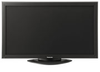
Panasonic The 12 series displays deliver the high performance expected from our Professional Displays while being able to provide a more cost effective solution when extensive connectivity options are not needed. The 50-inch TH-50PD12UK includes fixed terminals to support component, composite, S-video, or PC (D-sub 15) inputs, which make this model ideal for basic use in presentation or signage applications. For even deeper, richer blacks, our new 12-Series PD plasmas achieve a contrast ratio of an incredible 30,000:1. Also new for these 720p displays is improved video processing that provides crisp, clear motion images with the equivalent of an industry leading 5,120 shades of gradation. The TH-50PD12UK includes a remote controller (model # N2QAYB000432). When it comes to durability, our panels can be counted on and our TH-50PD12UK is no exception - it has an incredibly long estimated service life of 100,000 hours and is backed by a full 2-year on-site parts and labor limited warranty. And as always, our Plasma Concierge Service provides a toll-free hotline and 24-hour priority scheduling of on-site service if the display is in need of service or repair. Audio Input Select The video and audio input can each be independently selected. This makes it possible to achieve flexible combinations of images and sounds. 4x Digital Zoom This function lets you enlarge a portion of an image by up to four times its normal size and display it on the full screen. Use this function to give your presentations greater impact. Automatic Picture Positioning Simply press the Auto Setup key on the remote control to position the picture. This function automatically corrects horizontal and vertical picture positions, clock phase, and dot clock when an analog RGB signal is input. The adjustment results in optimal standard values for horizontal and vertical picture sizes. Tamper-Resistant Settings You can prevent operating errors in public places by making tamper-resistant settings in advance. Maximum volume level - sets the maximum sound volume Input lock - locks the input switch operation Button lock - restricts the button operations Remote user level - restricts the key operations on the remote control Energy-Saving Functions DPMS (Display Power Management Signaling) - power is automatically turned on/off in response to a sync signal from the PC connected to the built-in PC input terminal Auto Power Off - when a device is connected to the multi-function slots, the display panel goes into standby mode after about 10 minutes if no sync signal is received Power Save Mode - reduces the display's brightness Standby Power Save Mode - reduces power consumption when on standby Screen Saver Functions A variety of screen saver functions help lower the risk of uneven phosphor aging. Side Panel Adjustment - brightens the black bands on the sides of the screen while displaying images in a 4:3 format Wobbling - shifts the image's position by several pixels at fixed time intervals or according to the detected screen condition Peak Limit Mode - lowers the peak brightness level (image contrast) Negative Image - displays a negative image on the screen Scrolling Bar Only - a white bar will scroll from left to right, and the image will not be displayed Overlay Scrolling Bar - the image brightness will be decreased and a white bar will scroll over it White Screen - white will be displayed on the full screen. Extended Life Settings It's easy to make settings that extend the display life because all items that prevent image retention are grouped into a single menu. There's also a menu that allows you set the recommended values with a single operation.

Panasonic

The 12 series displays deliver the high performance expected from our Professional Displays while being able to provide a more cost effective solution when extensive connectivity options are not needed. The 50-inch TH-50PD12UK includes fixed terminals to support component, composite, S-video, or PC (D-sub 15) inputs, which make this model ideal for basic use in presentation or signage applications.
For even deeper, richer blacks, our new 12-Series PD plasmas achieve a contrast ratio of an incredible 30,000:1. Also new for these 720p displays is improved video processing that provides crisp, clear motion images with the equivalent of an industry leading 5,120 shades of gradation.
The TH-50PD12UK includes a remote controller (model # N2QAYB000432). When it comes to durability, our panels can be counted on and our TH-50PD12UK is no exception - it has an incredibly long estimated service life of 100,000 hours and is backed by a full 2-year on-site parts and labor limited warranty. And as always, our Plasma Concierge Service provides a toll-free hotline and 24-hour priority scheduling of on-site service if the display is in need of service or repair.

  • Audio Input Select
  • The video and audio input can each be independently selected. This makes it possible to achieve flexible combinations of images and sounds.
  • 4x Digital Zoom
  • This function lets you enlarge a portion of an image by up to four times its normal size and display it on the full screen.
  • Use this function to give your presentations greater impact.
  • Automatic Picture Positioning
  • Simply press the Auto Setup key on the remote control to position the picture.
  • This function automatically corrects horizontal and vertical picture positions, clock phase, and dot clock when an analog RGB signal is input.
  • The adjustment results in optimal standard values for horizontal and vertical picture sizes.
  • Tamper-Resistant Settings
  • You can prevent operating errors in public places by making tamper-resistant settings in advance.
  • Maximum volume level - sets the maximum sound volume
  • Input lock - locks the input switch operation
  • Button lock - restricts the button operations
  • Remote user level - restricts the key operations on the remote control
  • Energy-Saving Functions
  • DPMS (Display Power Management Signaling) - power is automatically turned on/off in response to a sync signal from the PC connected to the built-in PC input terminal
  • Auto Power Off - when a device is connected to the multi-function slots, the display panel goes into standby mode after about 10 minutes if no sync signal is received
  • Power Save Mode - reduces the display's brightness
  • Standby Power Save Mode - reduces power consumption when on standby
  • Screen Saver Functions
  • A variety of screen saver functions help lower the risk of uneven phosphor aging.
  • Side Panel Adjustment - brightens the black bands on the sides of the screen while displaying images in a 4:3 format
  • Wobbling - shifts the image's position by several pixels at fixed time intervals or according to the detected screen condition
  • Peak Limit Mode - lowers the peak brightness level (image contrast)
  • Negative Image - displays a negative image on the screen
  • Scrolling Bar Only - a white bar will scroll from left to right, and the image will not be displayed
  • Overlay Scrolling Bar - the image brightness will be decreased and a white bar will scroll over it
  • White Screen - white will be displayed on the full screen.
  • Extended Life Settings
  • It's easy to make settings that extend the display life because all items that prevent image retention are grouped into a single menu.
  • There's also a menu that allows you set the recommended values with a single operation.

Supplier's Site

Technical Specifications

  Visual Sound, Inc.
Product Category Video Displays
Product Number TH-50PD12U
Product Name 50-inch High Definition Plasma Display
Monitor Type Plasma Display
Unlock Full Specs
to access all available technical data

Similar Products

LCD Colour Displays - 204632 - RS Components, Ltd.
Specs
Monitor Type LCD Display; LED Display
Color Color
Input Types MIPI
View Details
Tacton TN101 OnLogic Industrial Display - TN101R - OnLogic Inc.
Specs
Input Voltage Type Uses DC Voltage
Input Voltage 24 volts
Mounting VESA Mount
View Details
10.1
Shenzhen Topway Technology Co., Ltd.
Specs
Monitor Type LCD Display
Color Color
Screen Resolution 1024x600
View Details