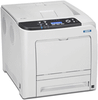
Savin Printers SP C320DN

Description
GENERAL FEATURES · Optimize color toner use with a new Economy Color Mode that applies less toner for draft prints and presentation color for final documents. · Select the right supplies for your workflow with a choice of conventional or high-yield cartridges which add to your cost-per-page savings. · Print high-quality presentations, proposals and other documents in brilliant color with resolutions up to 1,200 dpi. · Produce full-color photos without connecting to a PC or installing software. Just plug an optional PictBridge-enabled digital still camera directly into the printer. · Push productivity to a new level with a powerful 533 quick 26 pages-per-minute print speed-whether you presentation color or black-and-white. · Handle large files without disrupting your workflow. The SP C320DN offers expansive memory up to 768 MB. · Keep projects moving fast, even with oversized documents. through the Standard Tray or use the Bypass Tray for index) and banner printing (up to 8.5" x 49.6"). · Spend less time replenishing paper with a 500-sheet expandable up to 1,100 sheet total paper capacity. ENVIRONMENTAL FEATURES · Ensure efficient energy use with the new ECO Night Sensor that powers down when office lights have been off for an amount of time designated by the user. · Save energy and time waiting for documents with less than 20 seconds warm-up time and less than 13.5 seconds first-print speed. · Reduce paper usage and costs with standard automatic duplex printing-a great solution for printing multi-page reports, plans, white papers or training documentation. · Minimize toner usage with the new Economy Color Mode that lets you be selective about applying color to documents. SECURITY FEATURES · Ensure that only authorized users have access to the SP C320DN and the data stored within the printer with User Authentication. · Prevent the interception of unprotected data streams with built-in network encryption capabilities. · Configure the SP C320DN with an optional hard disk drive and DataOverwriteSecurit y System (DOSS), which automatically removes data from the hard disk drive after each job is completed.
Description
GENERAL FEATURES · Optimize color toner use with a new Economy Color Mode that applies less toner for draft prints and presentation color for final documents. · Select the right supplies for your workflow with a choice of conventional or high-yield cartridges which add to your cost-per-page savings. · Print high-quality presentations, proposals and other documents in brilliant color with resolutions up to 1,200 dpi. · Produce full-color photos without connecting to a PC or installing software. Just plug an optional PictBridge-enabled digital still camera directly into the printer. · Push productivity to a new level with a powerful 533 quick 26 pages-per-minute print speed-whether you presentation color or black-and-white. · Handle large files without disrupting your workflow. The SP C320DN offers expansive memory up to 768 MB. · Keep projects moving fast, even with oversized documents. through the Standard Tray or use the Bypass Tray for index) and banner printing (up to 8.5" x 49.6"). · Spend less time replenishing paper with a 500-sheet expandable up to 1,100 sheet total paper capacity. ENVIRONMENTAL FEATURES · Ensure efficient energy use with the new ECO Night Sensor that powers down when office lights have been off for an amount of time designated by the user. · Save energy and time waiting for documents with less than 20 seconds warm-up time and less than 13.5 seconds first-print speed. · Reduce paper usage and costs with standard automatic duplex printing-a great solution for printing multi-page reports, plans, white papers or training documentation. · Minimize toner usage with the new Economy Color Mode that lets you be selective about applying color to documents. SECURITY FEATURES · Ensure that only authorized users have access to the SP C320DN and the data stored within the printer with User Authentication. · Prevent the interception of unprotected data streams with built-in network encryption capabilities. · Configure the SP C320DN with an optional hard disk drive and DataOverwriteSecurit y System (DOSS), which automatically removes data from the hard disk drive after each job is completed.

Suppliers

Company
Product
Description
Supplier Links
Printers - SP C320DN - Savin
Round Lake, IL, USA
Printers
SP C320DN
Printers SP C320DN
GENERAL FEATURES · Optimize color toner use with a new Economy Color Mode that applies less toner for draft prints and presentation color for final documents. · Select the right supplies for your workflow with a choice of conventional or high-yield cartridges which add to your cost-per-page savings. · Print high-quality presentations, proposals and other documents in brilliant color with resolutions up to 1,200 dpi. · Produce full-color photos without connecting to a PC or installing software. Just plug an optional PictBridge-enabled digital still camera directly into the printer. · Push productivity to a new level with a powerful 533 quick 26 pages-per-minute print speed-whether you presentation color or black-and-white. · Handle large files without disrupting your workflow. The SP C320DN offers expansive memory up to 768 MB. · Keep projects moving fast, even with oversized documents. through the Standard Tray or use the Bypass Tray for index) and banner printing (up to 8.5" x 49.6"). · Spend less time replenishing paper with a 500-sheet expandable up to 1,100 sheet total paper capacity. ENVIRONMENTAL FEATURES · Ensure efficient energy use with the new ECO Night Sensor that powers down when office lights have been off for an amount of time designated by the user. · Save energy and time waiting for documents with less than 20 seconds warm-up time and less than 13.5 seconds first-print speed. · Reduce paper usage and costs with standard automatic duplex printing-a great solution for printing multi-page reports, plans, white papers or training documentation. · Minimize toner usage with the new Economy Color Mode that lets you be selective about applying color to documents. SECURITY FEATURES · Ensure that only authorized users have access to the SP C320DN and the data stored within the printer with User Authentication. · Prevent the interception of unprotected data streams with built-in network encryption capabilities. · Configure the SP C320DN with an optional hard disk drive and DataOverwriteSecurit y System (DOSS), which automatically removes data from the hard disk drive after each job is completed.

GENERAL FEATURES
· Optimize color toner use with a new Economy Color Mode that applies less toner for draft prints and presentation color for final documents.
· Select the right supplies for your workflow with a choice of conventional or high-yield cartridges which add to your cost-per-page savings.
· Print high-quality presentations, proposals and other documents in brilliant color with resolutions up to 1,200 dpi.
· Produce full-color photos without connecting to a PC or installing software. Just plug an optional PictBridge-enabled digital still camera directly into the printer.
· Push productivity to a new level with a powerful 533 quick 26 pages-per-minute print speed-whether you presentation color or black-and-white.
· Handle large files without disrupting your workflow. The SP C320DN offers expansive memory up to 768 MB.
· Keep projects moving fast, even with oversized documents. through the Standard Tray or use the Bypass Tray for index) and banner printing (up to 8.5" x 49.6").
· Spend less time replenishing paper with a 500-sheet expandable up to 1,100 sheet total paper capacity.
ENVIRONMENTAL FEATURES
· Ensure efficient energy use with the new ECO Night Sensor that powers down when office lights have been off for an amount of time designated by the user.
· Save energy and time waiting for documents with less than 20 seconds warm-up time and less than 13.5 seconds first-print speed.
· Reduce paper usage and costs with standard automatic duplex printing-a great solution for printing multi-page reports, plans, white papers or training documentation.
· Minimize toner usage with the new Economy Color Mode that lets you be selective about applying color to documents.
SECURITY FEATURES
· Ensure that only authorized users have access to the SP C320DN and the data stored within the printer with User Authentication.
· Prevent the interception of unprotected data streams with built-in network encryption capabilities.
· Configure the SP C320DN with an optional hard disk drive and DataOverwriteSecurity System (DOSS), which automatically removes data from the hard disk drive after each job is completed.

Supplier's Site

Technical Specifications

  Savin
Product Category Computer Printers and Plotters
Product Number SP C320DN
Product Name Printers
Mounting Options Stand-alone
Unlock Full Specs
to access all available technical data

Similar Products

VP500 Plotter - 34000030 - Altech Corp.
Specs
Printer Type Plotters
Printer Applications Labels
Mounting Options Stand-alone
View Details
Label Printers - 2686913 - RS Components, Ltd.
RS Components, Ltd.
Specs
Printer Applications Labels
Mounting Options Portable / Handheld
Features RoHS
View Details
Graphics System - Videojet® 4210 - Videojet Technologies, Inc.
Videojet Technologies, Inc.
Specs
Printer Type Ink Jet
Printer Applications Bar Codes; Date Stamp; Mail Pieces (Envelopes)
Media Handling Single Sheet
View Details