Premier Lighting & Production Company Media Master Express Software Media Master Express Software

Description
ArKaos has designed MediaMaster Express to help quickly setup a show that includes video. If you have basic needs of DMX or MIDI synchronization but still want to benefit from the powerful media management and efficient media playback of MediaMaster, the Express edition is your best choice. Drag and drop your visuals on the interface and assign them to DMX or MIDI triggers in a similar way to what made the ArKaos VJ DMX Simple Mode so popular. Features: Control video layers with just a few DMX dimmers or MIDI notes Work on a single DMX universe or MIDI channel Drag & Drop visuals directly on the main interface Organize your shows with up to 64 patches of 64 cells Control up to 3 parameters per cell via DMX or MIDI Optional fade time on trigger Control interface Computer keyboard Any MIDI controller compatible with your system Simple DMX lighting desk System requirements (PC) OS: Windows™ XP, Vista or 7 Processor: Pentium™ IV 2Ghz recommended RAM: 512MB, 1GB recommended Media Player: QuickTime™ 6.5.x (and up), Adobe FlashPlayer™ 9.0 (and up), DirectX™ 9.0c (and up) System requirements (Mac) OS: Mac OS X 10.4 (and up) Processor: Any Intel Mac, G4/1Ghz (and up) RAM: 512MB, 1GB recommended Media Player: QuickTime™ 6.5.x (and up), Adobe FlashPlayer™ 9.0 (and up)
Description
ArKaos has designed MediaMaster Express to help quickly setup a show that includes video. If you have basic needs of DMX or MIDI synchronization but still want to benefit from the powerful media management and efficient media playback of MediaMaster, the Express edition is your best choice. Drag and drop your visuals on the interface and assign them to DMX or MIDI triggers in a similar way to what made the ArKaos VJ DMX Simple Mode so popular. Features: Control video layers with just a few DMX dimmers or MIDI notes Work on a single DMX universe or MIDI channel Drag & Drop visuals directly on the main interface Organize your shows with up to 64 patches of 64 cells Control up to 3 parameters per cell via DMX or MIDI Optional fade time on trigger Control interface Computer keyboard Any MIDI controller compatible with your system Simple DMX lighting desk System requirements (PC) OS: Windows™ XP, Vista or 7 Processor: Pentium™ IV 2Ghz recommended RAM: 512MB, 1GB recommended Media Player: QuickTime™ 6.5.x (and up), Adobe FlashPlayer™ 9.0 (and up), DirectX™ 9.0c (and up) System requirements (Mac) OS: Mac OS X 10.4 (and up) Processor: Any Intel Mac, G4/1Ghz (and up) RAM: 512MB, 1GB recommended Media Player: QuickTime™ 6.5.x (and up), Adobe FlashPlayer™ 9.0 (and up)

Suppliers

Company
Product
Description
Supplier Links
Media Master Express Software - Media Master Express Software - Premier Lighting & Production Company
North Hollywood, CA, USA
Media Master Express Software
Media Master Express Software Media Master Express Software
ArKaos has designed MediaMaster Express to help quickly setup a show that includes video. If you have basic needs of DMX or MIDI synchronization but still want to benefit from the powerful media management and efficient media playback of MediaMaster, the Express edition is your best choice. Drag and drop your visuals on the interface and assign them to DMX or MIDI triggers in a similar way to what made the ArKaos VJ DMX Simple Mode so popular. Features: Control video layers with just a few DMX dimmers or MIDI notes Work on a single DMX universe or MIDI channel Drag & Drop visuals directly on the main interface Organize your shows with up to 64 patches of 64 cells Control up to 3 parameters per cell via DMX or MIDI Optional fade time on trigger Control interface Computer keyboard Any MIDI controller compatible with your system Simple DMX lighting desk System requirements (PC) OS: Windows™ XP, Vista or 7 Processor: Pentium™ IV 2Ghz recommended RAM: 512MB, 1GB recommended Media Player: QuickTime™ 6.5.x (and up), Adobe FlashPlayer™ 9.0 (and up), DirectX™ 9.0c (and up) System requirements (Mac) OS: Mac OS X 10.4 (and up) Processor: Any Intel Mac, G4/1Ghz (and up) RAM: 512MB, 1GB recommended Media Player: QuickTime™ 6.5.x (and up), Adobe FlashPlayer™ 9.0 (and up)

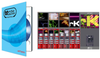
ArKaos has designed MediaMaster Express to help quickly setup a show that includes video. If you have basic needs of DMX or MIDI synchronization but still want to benefit from the powerful media management and efficient media playback of MediaMaster, the Express edition is your best choice. Drag and drop your visuals on the interface and assign them to DMX or MIDI triggers in a similar way to what made the ArKaos VJ DMX Simple Mode so popular.


Features:
Control video layers with just a few DMX dimmers or MIDI notes Work on a single DMX universe or MIDI channel Drag & Drop visuals directly on the main interface Organize your shows with up to 64 patches of 64 cells Control up to 3 parameters per cell via DMX or MIDI Optional fade time on trigger

Control interface Computer keyboard Any MIDI controller compatible with your system Simple DMX lighting desk

System requirements (PC) OS: Windows™ XP, Vista or 7 Processor: Pentium™ IV 2Ghz recommended RAM: 512MB, 1GB recommended Media Player: QuickTime™ 6.5.x (and up), Adobe FlashPlayer™ 9.0 (and up), DirectX™ 9.0c (and up)

System requirements (Mac) OS: Mac OS X 10.4 (and up) Processor: Any Intel Mac, G4/1Ghz (and up) RAM: 512MB, 1GB recommended Media Player: QuickTime™ 6.5.x (and up), Adobe FlashPlayer™ 9.0 (and up)

Supplier's Site

Technical Specifications

  Premier Lighting & Production Company
Product Category Broadcasting, Studio, and Theatrical Equipment and Supplies
Product Number Media Master Express Software
Product Name Media Master Express Software
Unlock Full Specs
to access all available technical data

Similar Products