Features
Suitable for all 1/8 DIN Laureate DPMs, counters, timers & remote displays
USB Type-B connector for plug-and-play connection to a PC USB port
Allows multiple meters to be connected to a PC via a hub
Data rates selectable up to 9600 baud
Powered by instrument
Isolated from meter and power grounds
Certificates of Compliance
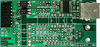
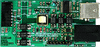
Intertek #4006497 RoHS 3 Compliant CE Certificate The Laureate P/N LUSB USB serial communication board allows a Laureate 1/8 DIN digital panel meter, counter or timer to be interfaced to a PC with an available USB port. Connection to a PC allows programming via Laurel's free Windows-based Instrument Setup Software, or to output readings to a PC for display and datalogging. Connecting the USB board to a PC will cause the PC to download the required driver.
A single USB meter is normally connected to a host computer via an off-the-shelf USB cable with A and B connectors like Laurel's cable CBL05. The line can be up to 5.0 m (16.4 ft) long according to the USB standard. The PC driver software will assign a COM port address to the connected device, which is then treated like an RS232 device.
Multiple USB meters can also be connected to the host computer by using powered hubs, which can branch the original USB line from the computer into multiple lines. Theoretical limits are up to four hubs in series for five tiers of lines, a maximum line length of 5 m per tier (up to 25 m total), and up to 127 devices including the hubs. The PC driver software will assign a unique COM port address (out of an available 256 addresses) to each connected device, which then needs to be addressed as a single device via its unique COM port. Multiple meters can also be digitally addressed using alternative interface boards: Ethernet board, Ethernet-to-RS485 converter board, USB-to-RS485 converter board, RS485 board with dual RJ11 connectors, and RS485 board with dual RJ45 connectors. A USB board is recommended if the objective is to interface a single meter to a PC with an available USB port.
Laurel's free XLOG2 datalogging software allows virtual meters to be displayed on a computer screen and to be data logged to disk with no need to write custom software.
Two serial protocols are user selectable for custom software: Modbus RTU and Custom ASCII. For detailed information on our protocols, please see our communication user manuals.
The Modbus RTU protocol is an international standard and allows Laureates to share the same RS485 data line with non-Laurel devices. It supports up to 247 digital addresses. Modbus RTU works in a master-slave (or query-response) mode, and its use requires an external Modbus master, which is typically a PC.
Laurel's Custom ASCII protocol is the simpler of the two protocols and uses ASCII strings. It supports up to 31 digital addresses and is recommended if the only devices to be addressed are Laureate meters. It can be set to a command mode under control of an external master, or to a continuous streaming mode where data is output at specified intervals at rates up to 60 per second.
Installation
The Laureate LUSB USB 2.0 board provides a USB Type-B connector for plug-and-play connection to the USB port of a PC. It is ideal for use with a PC to program a Laureate meter using Laurel's free Instrument Setup Software. The required USB cable is readily available in computer stores and also from Laurel as cable CBL05.
USB Type-B connector USB cable, P/N CBL05
Laurel Software Requiring a Communications Board
Instrument Setup Software runs on a PC and provides a Windows Graphical User Interface (GUI) as an alternative to programming the meter from the front panel. This software can be downloaded from this website at no charge. Its use requires a serial communications board in the meter, but following setup that board can be removed if desired. Compatible with Modbus or Laurel ASCII protocol.
Custom Curve Linearizing Software is compatible with the Extended option version of all Laureates. Not applicable to temperature. Custom curve linearization can provide exceptional accuracy from low cost transducers and extend their working range on the high and low ends. This software can be downloaded from this website at no charge. Meter setup requires a serial communications board in the meter and the Laurel ASCII protocol, but following setup that board can be removed if desired and any protocol can be used.
Data Logging Software turns a PC into a data logging system. The RS232 board allows data logging with a single meter. Use of RS485 boards allows data logging with up to 31 Laureate instruments. Data can be logged from selected meters into an ASCII file, which can then be imported into MS Excel. Data can also be displayed on the computer screen in the form of up to 64 actual or virtual panel meters in 4 groups (or screens) of up to 16 meters each. Compatible with Laurel ASCII protocol only.
Features
- Suitable for all 1/8 DIN Laureate DPMs, counters, timers & remote displays
- USB Type-B connector for plug-and-play connection to a PC USB port
- Allows multiple meters to be connected to a PC via a hub
- Data rates selectable up to 9600 baud
- Powered by instrument
- Isolated from meter and power grounds
Certificates of Compliance
Intertek #4006497
RoHS 3 Compliant
CE Certificate
The Laureate P/N LUSB USB serial communication board allows a Laureate 1/8 DIN digital panel meter, counter or timer to be interfaced to a PC with an available USB port. Connection to a PC allows programming via Laurel's free Windows-based Instrument Setup Software, or to output readings to a PC for display and datalogging. Connecting the USB board to a PC will cause the PC to download the required driver.
A single USB meter is normally connected to a host computer via an off-the-shelf USB cable with A and B connectors like Laurel's cable CBL05. The line can be up to 5.0 m (16.4 ft) long according to the USB standard. The PC driver software will assign a COM port address to the connected device, which is then treated like an RS232 device.
Multiple USB meters can also be connected to the host computer by using powered hubs, which can branch the original USB line from the computer into multiple lines. Theoretical limits are up to four hubs in series for five tiers of lines, a maximum line length of 5 m per tier (up to 25 m total), and up to 127 devices including the hubs. The PC driver software will assign a unique COM port address (out of an available 256 addresses) to each connected device, which then needs to be addressed as a single device via its unique COM port.
Multiple meters can also be digitally addressed using alternative interface boards: Ethernet board, Ethernet-to-RS485 converter board, USB-to-RS485 converter board, RS485 board with dual RJ11 connectors, and RS485 board with dual RJ45 connectors. A USB board is recommended if the objective is to interface a single meter to a PC with an available USB port.
Laurel's free XLOG2 datalogging software allows virtual meters to be displayed on a computer screen and to be data logged to disk with no need to write custom software.
Two serial protocols are user selectable for custom software: Modbus RTU and Custom ASCII. For detailed information on our protocols, please see our communication user manuals.
- The Modbus RTU protocol is an international standard and allows Laureates to share the same RS485 data line with non-Laurel devices. It supports up to 247 digital addresses. Modbus RTU works in a master-slave (or query-response) mode, and its use requires an external Modbus master, which is typically a PC.
- Laurel's Custom ASCII protocol is the simpler of the two protocols and uses ASCII strings. It supports up to 31 digital addresses and is recommended if the only devices to be addressed are Laureate meters. It can be set to a command mode under control of an external master, or to a continuous streaming mode where data is output at specified intervals at rates up to 60 per second.
Installation
The Laureate LUSB USB 2.0 board provides a USB Type-B connector for plug-and-play connection to the USB port of a PC. It is ideal for use with a PC to program a Laureate meter using Laurel's free Instrument Setup Software. The required USB cable is readily available in computer stores and also from Laurel as cable CBL05.
USB Type-B connector USB cable, P/N CBL05
Laurel Software Requiring a Communications Board
- Instrument Setup Software runs on a PC and provides a Windows Graphical User Interface (GUI) as an alternative to programming the meter from the front panel. This software can be downloaded from this website at no charge. Its use requires a serial communications board in the meter, but following setup that board can be removed if desired. Compatible with Modbus or Laurel ASCII protocol.
- Custom Curve Linearizing Software is compatible with the Extended option version of all Laureates. Not applicable to temperature. Custom curve linearization can provide exceptional accuracy from low cost transducers and extend their working range on the high and low ends. This software can be downloaded from this website at no charge. Meter setup requires a serial communications board in the meter and the Laurel ASCII protocol, but following setup that board can be removed if desired and any protocol can be used.
- Data Logging Software turns a PC into a data logging system. The RS232 board allows data logging with a single meter. Use of RS485 boards allows data logging with up to 31 Laureate instruments. Data can be logged from selected meters into an ASCII file, which can then be imported into MS Excel. Data can also be displayed on the computer screen in the form of up to 64 actual or virtual panel meters in 4 groups (or screens) of up to 16 meters each. Compatible with Laurel ASCII protocol only.