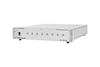
GL Communications, Inc. Packet Delay Emulation, LightSpeed1000™ LTS207

Description
The Network Delay Emulator application provides full duplex delay simulation for PoS and ATM based traffic from 1 ms to 500 ms, with incremental delays of 1 ms. The application combines hardware and software based functions to achieve precision and flexibility. It can emulate packet delays that occur over SONET/SDH carrying ATM/PoS traffic. With this application, the user can: test the impact of delay and congestion under various real world conditions, assess impact of delay on SLA (Service Level Agreements), simulate satellite delay and long Fiber Loops test WAN application performance under deteriorated but repeatable conditions Working Principle As shown in the above image, the payload received on Port 1 is delayed by the application with the applied delay in milliseconds and transmitted back on to Port 2. Similarly, the data received on Port 2 will be transmitted back on to Port 1 with applied delay. The applied delay duration is same for both the ports. SONET/SDH overhead, scrambling, HDLC processing are removed on receive side and regenerated on the transmission side. PPP frames are terminated from the payload, time stamped, stored, and forwarded based on user delay settings. ATM cells are similarly store and forwarded. Flags and idle cells are inserted as appropriate in the output stream. The Network Delay Emulator application is transparent to all higher layer protocols above ATM and PoS. Features A simple GUI allows user modification of delay and port settings. Ports Allows to apply the delay simultaneously for the incoming packets on both ports. Delay 1–500ms User can introduce the delay from 1 ms to 500ms. Minimum delay is 1ms and minimum programmable incremental delay is 1ms.
Datasheet
Description
The Network Delay Emulator application provides full duplex delay simulation for PoS and ATM based traffic from 1 ms to 500 ms, with incremental delays of 1 ms. The application combines hardware and software based functions to achieve precision and flexibility. It can emulate packet delays that occur over SONET/SDH carrying ATM/PoS traffic. With this application, the user can: test the impact of delay and congestion under various real world conditions, assess impact of delay on SLA (Service Level Agreements), simulate satellite delay and long Fiber Loops test WAN application performance under deteriorated but repeatable conditions Working Principle As shown in the above image, the payload received on Port 1 is delayed by the application with the applied delay in milliseconds and transmitted back on to Port 2. Similarly, the data received on Port 2 will be transmitted back on to Port 1 with applied delay. The applied delay duration is same for both the ports. SONET/SDH overhead, scrambling, HDLC processing are removed on receive side and regenerated on the transmission side. PPP frames are terminated from the payload, time stamped, stored, and forwarded based on user delay settings. ATM cells are similarly store and forwarded. Flags and idle cells are inserted as appropriate in the output stream. The Network Delay Emulator application is transparent to all higher layer protocols above ATM and PoS. Features A simple GUI allows user modification of delay and port settings. Ports Allows to apply the delay simultaneously for the incoming packets on both ports. Delay 1–500ms User can introduce the delay from 1 ms to 500ms. Minimum delay is 1ms and minimum programmable incremental delay is 1ms.
Datasheet

Suppliers

Company
Product
Description
Supplier Links
Packet Delay Emulation, LightSpeed1000™ - LTS207 - GL Communications, Inc.
Gaithersburg, MD, United States
Packet Delay Emulation, LightSpeed1000™
LTS207
Packet Delay Emulation, LightSpeed1000™ LTS207
The Network Delay Emulator application provides full duplex delay simulation for PoS and ATM based traffic from 1 ms to 500 ms, with incremental delays of 1 ms. The application combines hardware and software based functions to achieve precision and flexibility. It can emulate packet delays that occur over SONET/SDH carrying ATM/PoS traffic. With this application, the user can: test the impact of delay and congestion under various real world conditions, assess impact of delay on SLA (Service Level Agreements), simulate satellite delay and long Fiber Loops test WAN application performance under deteriorated but repeatable conditions Working Principle As shown in the above image, the payload received on Port 1 is delayed by the application with the applied delay in milliseconds and transmitted back on to Port 2. Similarly, the data received on Port 2 will be transmitted back on to Port 1 with applied delay. The applied delay duration is same for both the ports. SONET/SDH overhead, scrambling, HDLC processing are removed on receive side and regenerated on the transmission side. PPP frames are terminated from the payload, time stamped, stored, and forwarded based on user delay settings. ATM cells are similarly store and forwarded. Flags and idle cells are inserted as appropriate in the output stream. The Network Delay Emulator application is transparent to all higher layer protocols above ATM and PoS. Features A simple GUI allows user modification of delay and port settings. Ports Allows to apply the delay simultaneously for the incoming packets on both ports. Delay 1–500ms User can introduce the delay from 1 ms to 500ms. Minimum delay is 1ms and minimum programmable incremental delay is 1ms.

The Network Delay Emulator application provides full duplex delay simulation for PoS and ATM based traffic from 1 ms to 500 ms, with incremental delays of 1 ms. The application combines hardware and software based functions to achieve precision and flexibility. It can emulate packet delays that occur over SONET/SDH carrying ATM/PoS traffic.

With this application, the user can:

  • test the impact of delay and congestion under various real world conditions,
  • assess impact of delay on SLA (Service Level Agreements),
  • simulate satellite delay and long Fiber Loops
  • test WAN application performance under deteriorated but repeatable conditions

Working Principle

As shown in the above image, the payload received on Port 1 is delayed by the application with the applied delay in milliseconds and transmitted back on to Port 2. Similarly, the data received on Port 2 will be transmitted back on to Port 1 with applied delay. The applied delay duration is same for both the ports.

SONET/SDH overhead, scrambling, HDLC processing are removed on receive side and regenerated on the transmission side. PPP frames are terminated from the payload, time stamped, stored, and forwarded based on user delay settings. ATM cells are similarly store and forwarded. Flags and idle cells are inserted as appropriate in the output stream. The Network Delay Emulator application is transparent to all higher layer protocols above ATM and PoS.

Features

A simple GUI allows user modification of delay and port settings.

  • Ports
    Allows to apply the delay simultaneously for the incoming packets on both ports.
  • Delay 1–500ms
    User can introduce the delay from 1 ms to 500ms. Minimum delay is 1ms and minimum programmable incremental delay is 1ms.

Supplier's Site Datasheet

Technical Specifications

  GL Communications, Inc.
Product Category Network Test Equipment
Product Number LTS207
Product Name Packet Delay Emulation, LightSpeed1000™
Network Protocol ATM; PoS
Unlock Full Specs
to access all available technical data

Similar Products

PROFIBUS Diagnostics Suite -  - Softing Inc. Industrial Automation
Softing Inc. Industrial Automation
Specs
Equipment Type Protocol Analyzer
View Details
Network Testers - 3019697 - RS Components, Ltd.
RS Components, Ltd.
Specs
Equipment Type Network Cable tester; Cable tester
Port Type Idc ribbon
Standards and Certifications RoHS
View Details
Amprobe LAN-1 LAN Cable Tester -  - Amprobe Test Tools
Specs
Equipment Type Network Cable tester
Network Protocol 10 Base-T Ethernet; Fast Ethernet
Form Factor Handheld
View Details
Spirent Communications
Specs
Equipment Type Network / LAN Analyzer; Protocol Analyzer
Network Protocol SONET
Number of Ports 2
View Details