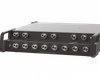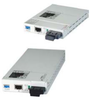
Data Connect Enterprise, Inc. E1 Extender over Fiber Fiber-E

Description
The Data Connect Fiber-E is a fiber media E1 extender for G.703 E1 transmission. The BNC model provides unbalanced 75 Ohm coaxial connections while the RJ-45 model provides balanced 120 Ohm connections over twisted pair wiring. When the DCE/Fiber-E card is placed in the DCE/Fiber-E-SA-Kit management, the card status, type, version, fiber link status, E1 or T1 link status and alarms can all be displayed. Configuration is also available to enable or disable the port, reset the port, do far end fault setting, and initiate local or far end loop-back tests. Features Network Management via Terminal or SNMP in FRM301Chassis T1/E1 RJ-45 (USOC RJ-48C) or Coax (BNC) to fiber converter Support AMI or B8ZS/HDB3 line codes Unframed (Transparent clear channel) User selectable line code setting, Far End Fault (FEF) Setting, Loop back test
Description
The Data Connect Fiber-E is a fiber media E1 extender for G.703 E1 transmission. The BNC model provides unbalanced 75 Ohm coaxial connections while the RJ-45 model provides balanced 120 Ohm connections over twisted pair wiring. When the DCE/Fiber-E card is placed in the DCE/Fiber-E-SA-Kit management, the card status, type, version, fiber link status, E1 or T1 link status and alarms can all be displayed. Configuration is also available to enable or disable the port, reset the port, do far end fault setting, and initiate local or far end loop-back tests. Features Network Management via Terminal or SNMP in FRM301Chassis T1/E1 RJ-45 (USOC RJ-48C) or Coax (BNC) to fiber converter Support AMI or B8ZS/HDB3 line codes Unframed (Transparent clear channel) User selectable line code setting, Far End Fault (FEF) Setting, Loop back test

Suppliers

Company
Product
Description
Supplier Links
E1 Extender over Fiber - Fiber-E - Data Connect Enterprise, Inc.
Olney, MD, USA
E1 Extender over Fiber
Fiber-E
E1 Extender over Fiber Fiber-E
The Data Connect Fiber-E is a fiber media E1 extender for G.703 E1 transmission. The BNC model provides unbalanced 75 Ohm coaxial connections while the RJ-45 model provides balanced 120 Ohm connections over twisted pair wiring. When the DCE/Fiber-E card is placed in the DCE/Fiber-E-SA-Kit management, the card status, type, version, fiber link status, E1 or T1 link status and alarms can all be displayed. Configuration is also available to enable or disable the port, reset the port, do far end fault setting, and initiate local or far end loop-back tests. Features Network Management via Terminal or SNMP in FRM301Chassis T1/E1 RJ-45 (USOC RJ-48C) or Coax (BNC) to fiber converter Support AMI or B8ZS/HDB3 line codes Unframed (Transparent clear channel) User selectable line code setting, Far End Fault (FEF) Setting, Loop back test

The Data Connect Fiber-E is a fiber media E1 extender for G.703 E1 transmission. The BNC model provides unbalanced 75 Ohm coaxial connections while the RJ-45 model provides balanced 120 Ohm connections over twisted pair wiring. When the DCE/Fiber-E card is placed in the DCE/Fiber-E-SA-Kit management, the card status, type, version, fiber link status, E1 or T1 link status and alarms can all be displayed. Configuration is also available to enable or disable the port, reset the port, do far end fault setting, and initiate local or far end loop-back tests.

Features

  • Network Management via Terminal or SNMP in FRM301Chassis
  • T1/E1 RJ-45 (USOC RJ-48C) or Coax (BNC) to fiber converter
  • Support AMI or B8ZS/HDB3 line codes
  • Unframed (Transparent clear channel)
  • User selectable line code setting, Far End Fault (FEF) Setting, Loop back test
Supplier's Site
E1 Extender over Fiber - Fiber-E - Data Connect Enterprise, Inc.
Olney, MD, USA
E1 Extender over Fiber
Fiber-E
E1 Extender over Fiber Fiber-E
The Data Connect Fiber-E is a fiber media E1 extender for G.703 E1 transmission. The BNC model provides unbalanced 75 Ohm coaxial connections while the RJ-45 model provides balanced 120 Ohm connections over twisted pair wiring. When the DCE/Fiber-E card is placed in the DCE/Fiber-E-SA-Kit management, the card status, type, version, fiber link status, E1 or T1 link status and alarms can all be displayed. Configuration is also available to enable or disable the port, reset the port, do far end fault setting, and initiate local or far end loop-back tests. Features Network Management via Terminal or SNMP in FRM301Chassis T1/E1 RJ-45 (USOC RJ-48C) or Coax (BNC) to fiber converter Support AMI or B8ZS/HDB3 line codes Unframed (Transparent clear channel) User selectable line code setting, Far End Fault (FEF) Setting, Loop back test

The Data Connect Fiber-E is a fiber media E1 extender for G.703 E1 transmission. The BNC model provides unbalanced 75 Ohm coaxial connections while the RJ-45 model provides balanced 120 Ohm connections over twisted pair wiring. When the DCE/Fiber-E card is placed in the DCE/Fiber-E-SA-Kit management, the card status, type, version, fiber link status, E1 or T1 link status and alarms can all be displayed. Configuration is also available to enable or disable the port, reset the port, do far end fault setting, and initiate local or far end loop-back tests.

Features

  • Network Management via Terminal or SNMP in FRM301Chassis
  • T1/E1 RJ-45 (USOC RJ-48C) or Coax (BNC) to fiber converter
  • Support AMI or B8ZS/HDB3 line codes
  • Unframed (Transparent clear channel)
  • User selectable line code setting, Far End Fault (FEF) Setting, Loop back test
Supplier's Site

Technical Specifications

  Data Connect Enterprise, Inc. Data Connect Enterprise, Inc.
Product Category Network Equipment Network Equipment
Product Number Fiber-E Fiber-E
Product Name E1 Extender over Fiber E1 Extender over Fiber
Network Equipment Repeater Repeater
Unlock Full Specs
to access all available technical data

Similar Products

Accessories SD interface - Gateway - SD-I-U-DN - 101209432 - Schmersal Inc.
Specs
Network Equipment Gateway
Protocol / Network DeviceNet
View Details
Port Extender for 75 Ohm VNAs - PE0312-75 - Copper Mountain Technologies
Copper Mountain Technologies
Specs
Network Equipment Repeater
Number of Ports 12 #
View Details