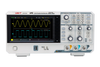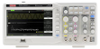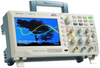
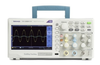
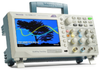
Tektronix, Inc. Oscilloscope, 2Ch, 200Mhz, 2Gsps; Product Range Tektronix TBS1202B-EDU

Description
OSCILLOSCOPE, 2CH, 200MHZ, 2GSPS; Product Range:TBS1000B Series; Scope Channels:2 Channel; Bandwidth:200MHz; Sampling Rate:2GSPS; Display Memory Depth:2.5 kpts; Calculated Rise Time:-; Scope Display Type:WVGA LCD Color; Plug Type:US RoHS Compliant: Yes
Datasheet
Description
OSCILLOSCOPE, 2CH, 200MHZ, 2GSPS; Product Range:TBS1000B Series; Scope Channels:2 Channel; Bandwidth:200MHz; Sampling Rate:2GSPS; Display Memory Depth:2.5 kpts; Calculated Rise Time:-; Scope Display Type:WVGA LCD Color; Plug Type:US RoHS Compliant: Yes
Datasheet

Suppliers

Company
Product
Description
Supplier Links
Oscilloscope, 2Ch, 200Mhz, 2Gsps; Product Range Tektronix - 33X1216 - Newark, An Avnet Company
Chicago, IL, United States
Oscilloscope, 2Ch, 200Mhz, 2Gsps; Product Range Tektronix
33X1216
Oscilloscope, 2Ch, 200Mhz, 2Gsps; Product Range Tektronix 33X1216
OSCILLOSCOPE, 2CH, 200MHZ, 2GSPS; Product Range:TBS1000B Series; Scope Channels:2 Channel; Bandwidth:200MHz; Sampling Rate:2GSPS; Display Memory Depth:2.5 kpts; Calculated Rise Time:-; Scope Display Type:WVGA LCD Color; Plug Type:US RoHS Compliant: Yes

OSCILLOSCOPE, 2CH, 200MHZ, 2GSPS; Product Range:TBS1000B Series; Scope Channels:2 Channel; Bandwidth:200MHz; Sampling Rate:2GSPS; Display Memory Depth:2.5 kpts; Calculated Rise Time:-; Scope Display Type:WVGA LCD Color; Plug Type:US RoHS Compliant: Yes

Supplier's Site Datasheet
Digital Oscilloscope - TBS1202B-EDU - ValueTronics International, Inc.
Elgin, IL, USA
Digital Oscilloscope
TBS1202B-EDU
Digital Oscilloscope TBS1202B-EDU
The TBS1202B-EDU is a 200 MHz, 2 channel digital oscilloscope from Tektronix. Measure voltage or current signals over time in an electronic circuit or component to display amplitude, frequency and rise times, etc. Applications include troubleshooting, production test, and design. Additional Features: Bandwidth: 200 MHz 2 Channels 2.0 GS/s Sample rate on each channel 2.5k point record length on all channels Advanced triggers including pulse and line-selectable video triggers 7 inch WVGA (800X480) Active TFT Color Display 34 automated measurements Dual window FFT, simultaneously monitors both the time and frequency domains Integrated Courseware feature Dual channel frequency counter Zoom Function Autoset and signal auto-ranging Multiple-language user interface Small footprint and lightweight - Only 4.9 in. (124 mm) deep and 4.4 lb. (2 kg) Connectivity: USB 2.0 host port on the front panel for quick and easy data storage USB 2.0 device port on rear panel for easy connection to a PC Standard Accessories: Passive probes, one per channel: TPP0201: 200 MHz passive probe Power cord NIM/NIST: Traceable certificate of calibration Printed documentation: Installation and safety manual CD with customer documentation: Customer documentation including detailed user manuals Education CD: Courseware PC Software, example Courseware labs, ABC's of Probes application note, XYZ's of Oscilloscopes application note, Courseware PC Software download link 5-year Warranty: Covers labor and parts for defects in materials and workmanship for 5 years, excluding probes and accessories The Tektronix TBS1202B-EDU Digital Storage Oscilloscope is designed specifically to meet the needs of today's schools and universities. It's the first oscilloscope to use an innovative new Courseware system that enables educators to seamlessly integrate teaching materials onto TBS1202B-EDU oscilloscopes. The Courseware information is presented directly on the oscilloscope display and can be used to provide step by step instructions, background theory, hints and tips or an efficient way for students to document their lab work. The instrument includes a 7-inch WVGA TFT color display, a 2GS/s sampling rate, a 200 MHz bandwidth, dual channel frequency counters and a 5 year standard warranty, just a few of the features that make the TBS1202B-EDU the industry's best value entry level oscilloscope for educational activities. Seeing signal details To properly analyze signals you need to make sure that you can see them in enough detail. The TBS1000B-EDU comes standard with a 7-inch high resolution TFT display for a clear view of all of your signals and critical on screen information. The instrument is further enhanced by a user interface inspired by the award winning Tektronix MSO/DPO series of instruments. The interface is easy to use, provides quick access to all of the oscilloscope functions and includes a high resolution "Pan & Zoom" feature enabling you to see even more signal details of up to 10 times normal resolution. Digital precision for accurate measurements With up to 200 MHz bandwidth, 2 GS/s maximum sample rate and 3% vertical measurement accuracy the TBS1000B-EDU allows you to see the details of your signals. With the Tektronix proprietary sampling technology there are no compromises, you will get the stated real-time sampling rate on all channels, all the time with at least of 10X oversampling. The sampling performance is not reduced when changing horizontal settings or when using multiple channels, enabling you to see the true characteristics of your signals. Critical tools for troubleshooting your device The TBS1000B-EDU oscilloscope enables students to learn about the advanced triggers used to debug today's complex circuitry. Standard rising or falling edge, pulse width and video trigger set-ups will allow students to quickly isolate signals of interest and investigate alternative triggering options using the flexible trigger set-up menus. Once signals are captured, the TBS1000B-EDU offers advanced math and measurement capabilities making it easy to evaluate signal quality. Users can add, subtract and multiply waveforms or use any one of 34 automated measurements to quickly and reliably calculate important signal characteristics such as frequency, rise time or overshoot. For advanced frequency analysis, a dedicated front panel button provides quick access to the FFT function that can show both frequency and time domain waveforms simultaneously, providing the student with a convenient way to understand the relationship between their signals and the FFT results. To further enhance the teaching process, the oscilloscopes "Autoset" function can be disabled. For those beginning labs where it is important for a student to learn the basic operation of the oscilloscope, disabling Autoset will help them apply their knowledge of an oscilloscope's operation instead of taking shortcuts with the Autoset button. This feature is password controlled so Autoset can be disabled or enabled by accessing the Autoset screen in the Utility menu. The TBS1000B-EDU also comes with built-in dual channel frequency counters. Independent control of each counter's trigger level provides an easy way to monitor two different signal frequencies simultaneously. Courseware feature The innovative Courseware feature sets up an education ecosystem by combining powerful PC Course Editor software with the TBS1000B-EDU instruments and a Courseware landing page. The new feature gives educators the ability to create lab descriptions and instructions and then upload the material directly onto a TBS1000-EDU oscilloscope. Existing labs can be modified with content that directly supports recent lectures or explores new ideas discovered in class discussions. Students can perform their lab work directly on the oscilloscope and record their progress in a report file consisting of oscilloscope screen captures. Courseware materials can easily be shared between different labs, professors at the same institution or even between educators from around the world. The Tektronix Courseware Web Page is set up to make it easy for educators to share their own course material or get inspired by reviewing new and interesting ideas from their peers. PC Course Editor software It all starts with the PC Courseware editor tool. This Windows based application provides the framework in which the courseware is developed. With simple Windows tools instructors can create new labs or edit existing labs using text, images, formulas or tables. A profile signature can also be created that identifies the professor, class or school. The basic building block of the Courseware content is the Lab section. An overview, equipment set-ups, theory discussions and step by step instructions can all be included in this section. When the labs are completed a course can be created. In general, a course is made up of several labs with related topics, for example a basic digital course may consist of lab topics that include; "Basic Boolean Logic", "Simple AND & OR Gates", "Clocks", "Metastable Devices", "Memory Devices", etc. Individual Labs can be shared among multiple courses enabling professors to cater course material to a specific audience. Once all of the courses are defined a package/workspace file is created which contains all of the courses with their related labs and enables the content to be uploaded onto a TBS1000-EDU oscilloscope. To accommodate regional differences the Courseware PC software and the help wizard support is available in 11 different languages. The oscilloscope courseware features When the workspace file is loaded onto an instrument, students can easily access the content by using the dedicated "Course" button located on the front panel. Using the oscilloscopes soft keys and the multipurpose knob, students can access up to 8 courses which can have up to 30 labs each. To accommodate situations where and instrument is used for several classes, up to 100 MB of course material can be stored on the oscilloscope. Once a lab is chosen, the student is able to review the overview section, perform the lab using the step-by-step procedure, collect data, check & save the data results and generate reports that show the waveforms created for each step in the procedure. And all of this work can be done directly on the oscilloscope. Tektronix Courseware landing page To help educators find new and interesting ideas for creating content for their labs Tektronix has created a Courseware Web page. At this site, users can download and customize relevant course material or upload material to share their own labs with peers. The site also contains a comprehensive search engine that allows visitors to search for labs by key word, author, category, topic and/or language. Although registration for the site is required, once registered, users are able to download or upload material and they will also be able to comment on material that they've used. Designed to make your work easy The TBS1000B-EDU series oscilloscopes are designed with the ease of use and familiar operation you have come to expect from Tektronix. Intuitive operation The intuitive user interface with dedicated per-channel vertical controls, zoom/magnifier button and convenient access to functions using the oscilloscope's soft keys and multi-purpose knob make these instruments easy to use, reducing learning time and increasing efficiency. Help when you need it where you need it The built-in Help menu provides you with important information about your oscilloscope's features and functions. Help is provided in the same languages as the user interface. Performance you can count on In addition to industry-leading service and support, every TBS1000B-EDU series oscilloscope comes backed with a standard 5-year warranty.

The TBS1202B-EDU is a 200 MHz, 2 channel digital oscilloscope from Tektronix. Measure voltage or current signals over time in an electronic circuit or component to display amplitude, frequency and rise times, etc. Applications include troubleshooting, production test, and design.

Additional Features:

  • Bandwidth: 200 MHz
  • 2 Channels
  • 2.0 GS/s Sample rate on each channel
  • 2.5k point record length on all channels
  • Advanced triggers including pulse and line-selectable video triggers
  • 7 inch WVGA (800X480) Active TFT Color Display
  • 34 automated measurements
  • Dual window FFT, simultaneously monitors both the time and frequency domains
  • Integrated Courseware feature
  • Dual channel frequency counter
  • Zoom Function
  • Autoset and signal auto-ranging
  • Multiple-language user interface
  • Small footprint and lightweight - Only 4.9 in. (124 mm) deep and 4.4 lb. (2 kg)

Connectivity:

  • USB 2.0 host port on the front panel for quick and easy data storage
  • USB 2.0 device port on rear panel for easy connection to a PC

Standard Accessories:

  • Passive probes, one per channel: TPP0201: 200 MHz passive probe
  • Power cord
  • NIM/NIST: Traceable certificate of calibration
  • Printed documentation: Installation and safety manual
  • CD with customer documentation: Customer documentation including detailed user manuals
  • Education CD: Courseware PC Software, example Courseware labs, ABC's of Probes application note, XYZ's of Oscilloscopes application note, Courseware PC Software download link
  • 5-year Warranty: Covers labor and parts for defects in materials and workmanship for 5 years, excluding probes and accessories

The Tektronix TBS1202B-EDU Digital Storage Oscilloscope is designed specifically to meet the needs of today's schools and universities. It's the first oscilloscope to use an innovative new Courseware system that enables educators to seamlessly integrate teaching materials onto TBS1202B-EDU oscilloscopes. The Courseware information is presented directly on the oscilloscope display and can be used to provide step by step instructions, background theory, hints and tips or an efficient way for students to document their lab work.

The instrument includes a 7-inch WVGA TFT color display, a 2GS/s sampling rate, a 200 MHz bandwidth, dual channel frequency counters and a 5 year standard warranty, just a few of the features that make the TBS1202B-EDU the industry's best value entry level oscilloscope for educational activities.

Seeing signal details

To properly analyze signals you need to make sure that you can see them in enough detail. The TBS1000B-EDU comes standard with a 7-inch high resolution TFT display for a clear view of all of your signals and critical on screen information. The instrument is further enhanced by a user interface inspired by the award winning Tektronix MSO/DPO series of instruments.

The interface is easy to use, provides quick access to all of the oscilloscope functions and includes a high resolution "Pan & Zoom" feature enabling you to see even more signal details of up to 10 times normal resolution.

Digital precision for accurate measurements

With up to 200 MHz bandwidth, 2 GS/s maximum sample rate and 3% vertical measurement accuracy the TBS1000B-EDU allows you to see the details of your signals. With the Tektronix proprietary sampling technology there are no compromises, you will get the stated real-time sampling rate on all channels, all the time with at least of 10X oversampling. The sampling performance is not reduced when changing horizontal settings or when using multiple channels, enabling you to see the true characteristics of your signals.

Critical tools for troubleshooting your device

The TBS1000B-EDU oscilloscope enables students to learn about the advanced triggers used to debug today's complex circuitry. Standard rising or falling edge, pulse width and video trigger set-ups will allow students to quickly isolate signals of interest and investigate alternative triggering options using the flexible trigger set-up menus.
Once signals are captured, the TBS1000B-EDU offers advanced math and measurement capabilities making it easy to evaluate signal quality. Users can add, subtract and multiply waveforms or use any one of 34 automated measurements to quickly and reliably calculate important signal characteristics such as frequency, rise time or overshoot.
For advanced frequency analysis, a dedicated front panel button provides quick access to the FFT function that can show both frequency and time domain waveforms simultaneously, providing the student with a convenient way to understand the relationship between their signals and the FFT results.

To further enhance the teaching process, the oscilloscopes "Autoset" function can be disabled. For those beginning labs where it is important for a student to learn the basic operation of the oscilloscope, disabling Autoset will help them apply their knowledge of an oscilloscope's operation instead of taking shortcuts with the Autoset button. This feature is password controlled so Autoset can be disabled or enabled by accessing the Autoset screen in the Utility menu.
The TBS1000B-EDU also comes with built-in dual channel frequency counters. Independent control of each counter's trigger level provides an easy way to monitor two different signal frequencies simultaneously.

Courseware feature

The innovative Courseware feature sets up an education ecosystem by combining powerful PC Course Editor software with the TBS1000B-EDU instruments and a Courseware landing page. The new feature gives educators the ability to create lab descriptions and instructions and then upload the material directly onto a TBS1000-EDU oscilloscope. Existing labs can be modified with content that directly supports recent lectures or explores new ideas discovered in class discussions. Students can perform their lab work directly on the oscilloscope and record their progress in a report file consisting of oscilloscope screen captures. Courseware materials can easily be shared between different labs, professors at the same institution or even between educators from around the world. The Tektronix Courseware Web Page is set up to make it easy for educators to share their own course material or get inspired by reviewing new and interesting ideas from their peers.

PC Course Editor software
It all starts with the PC Courseware editor tool. This Windows based application provides the framework in which the courseware is developed. With simple Windows tools instructors can create new labs or edit existing labs using text, images, formulas or tables. A profile signature can also be created that identifies the professor, class or school.
The basic building block of the Courseware content is the Lab section. An overview, equipment set-ups, theory discussions and step by step instructions can all be included in this section. When the labs are completed a course can be created. In general, a course is made up of several labs with related topics, for example a basic digital course may consist of lab topics that include; "Basic Boolean Logic", "Simple AND & OR Gates", "Clocks", "Metastable Devices", "Memory Devices", etc. Individual Labs can be shared among multiple courses enabling professors to cater course material to a specific audience. Once all of the courses are defined a package/workspace file is created which contains all of the courses with their related labs and enables the content to be uploaded onto a TBS1000-EDU oscilloscope.

To accommodate regional differences the Courseware PC software and the help wizard support is available in 11 different languages.

The oscilloscope courseware features

When the workspace file is loaded onto an instrument, students can easily access the content by using the dedicated "Course" button located on the front panel. Using the oscilloscopes soft keys and the multipurpose knob, students can access up to 8 courses which can have up to 30 labs each. To accommodate situations where and instrument is used for several classes, up to 100 MB of course material can be stored on the oscilloscope.

Once a lab is chosen, the student is able to review the overview section, perform the lab using the step-by-step procedure, collect data, check & save the data results and generate reports that show the waveforms created for each step in the procedure. And all of this work can be done directly on the oscilloscope.

Tektronix Courseware landing page

To help educators find new and interesting ideas for creating content for their labs Tektronix has created a Courseware Web page. At this site, users can download and customize relevant course material or upload material to share their own labs with peers. The site also contains a comprehensive search engine that allows visitors to search for labs by key word, author, category, topic and/or language. Although registration for the site is required, once registered, users are able to download or upload material and they will also be able to comment on material that they've used.

Designed to make your work easy

The TBS1000B-EDU series oscilloscopes are designed with the ease of use and familiar operation you have come to expect from Tektronix.

Intuitive operation

The intuitive user interface with dedicated per-channel vertical controls, zoom/magnifier button and convenient access to functions using the oscilloscope's soft keys and multi-purpose knob make these instruments easy to use, reducing learning time and increasing efficiency.

Help when you need it where you need it

The built-in Help menu provides you with important information about your oscilloscope's features and functions. Help is provided in the same languages as the user interface.

Performance you can count on

In addition to industry-leading service and support, every TBS1000B-EDU series oscilloscope comes backed with a standard 5-year warranty.

Supplier's Site Datasheet
Digital Oscilloscope - TBS1202B-EDU - ValueTronics International, Inc.
Elgin, IL, USA
Digital Oscilloscope
TBS1202B-EDU
Digital Oscilloscope TBS1202B-EDU
The TBS1202B-EDU is a 200 MHz, 2 Channel digital oscilloscope from Tektronix. Measure voltage or current signals over time in an electronic circuit or component to display amplitude, frequency and rise times, etc. Applications include troubleshooting, production test, and design. Additional Features: Bandwidth: 200 MHz 2 Channels 2.0 GS/s Sample rate on each channel 2.5k point record length on all channels Advanced triggers including pulse and line-selectable video triggers 7 inch WVGA (800X480) Active TFT Color Display 34 automated measurements Dual window FFT, simultaneously monitors both the time and frequency domains Integrated Courseware feature Dual channel frequency counter Zoom Function Autoset and signal auto-ranging Multiple-language user interface Small footprint and lightweight - Only 4.9 in. (124 mm) deep and 4.4 lb. (2 kg) Connectivity: USB 2.0 host port on the front panel for quick and easy data storage USB 2.0 device port on rear panel for easy connection to a PC The Tektronix TBS1202B-EDU Digital Storage Oscilloscope is designed specifically to meet the needs of today's schools and universities. It's the first oscilloscope to use an innovative new Courseware system that enables educators to seamlessly integrate teaching materials onto TBS1202B-EDU oscilloscopes. The Courseware information is presented directly on the oscilloscope display and can be used to provide step by step instructions, background theory, hints and tips or an efficient way for students to document their lab work. The instrument includes a 7-inch WVGA TFT color display, a 2GS/s sampling rate, a 200 MHz bandwidth, and dual channel frequency counters, just a few of the features that make the TBS1202B-EDU the industry's best value entry level oscilloscope for educational activities. Seeing signal details To properly analyze signals you need to make sure that you can see them in enough detail. The TBS1000B-EDU comes standard with a 7-inch high resolution TFT display for a clear view of all of your signals and critical on screen information. The instrument is further enhanced by a user interface inspired by the award winning Tektronix MSO/DPO series of instruments. The interface is easy to use, provides quick access to all of the oscilloscope functions and includes a high resolution "Pan & Zoom" feature enabling you to see even more signal details of up to 10 times normal resolution. Digital precision for accurate measurements With up to 200 MHz bandwidth, 2 GS/s maximum sample rate and 3% vertical measurement accuracy the TBS1000B-EDU allows you to see the details of your signals. With the Tektronix proprietary sampling technology there are no compromises, you will get the stated real-time sampling rate on all channels, all the time with at least of 10X oversampling. The sampling performance is not reduced when changing horizontal settings or when using multiple channels, enabling you to see the true characteristics of your signals. Critical tools for troubleshooting your device The TBS1000B-EDU oscilloscope enables students to learn about the advanced triggers used to debug today's complex circuitry. Standard rising or falling edge, pulse width and video trigger set-ups will allow students to quickly isolate signals of interest and investigate alternative triggering options using the flexible trigger set-up menus. Once signals are captured, the TBS1000B-EDU offers advanced math and measurement capabilities making it easy to evaluate signal quality. Users can add, subtract and multiply waveforms or use any one of 34 automated measurements to quickly and reliably calculate important signal characteristics such as frequency, rise time or overshoot. For advanced frequency analysis, a dedicated front panel button provides quick access to the FFT function that can show both frequency and time domain waveforms simultaneously, providing the student with a convenient way to understand the relationship between their signals and the FFT results. To further enhance the teaching process, the oscilloscopes "Autoset" function can be disabled. For those beginning labs where it is important for a student to learn the basic operation of the oscilloscope, disabling Autoset will help them apply their knowledge of an oscilloscope's operation instead of taking shortcuts with the Autoset button. This feature is password controlled so Autoset can be disabled or enabled by accessing the Autoset screen in the Utility menu. The TBS1000B-EDU also comes with built-in dual channel frequency counters. Independent control of each counter's trigger level provides an easy way to monitor two different signal frequencies simultaneously. Courseware feature The innovative Courseware feature sets up an education ecosystem by combining powerful PC Course Editor software with the TBS1000B-EDU instruments and a Courseware landing page. The new feature gives educators the ability to create lab descriptions and instructions and then upload the material directly onto a TBS1000-EDU oscilloscope. Existing labs can be modified with content that directly supports recent lectures or explores new ideas discovered in class discussions. Students can perform their lab work directly on the oscilloscope and record their progress in a report file consisting of oscilloscope screen captures. Courseware materials can easily be shared between different labs, professors at the same institution or even between educators from around the world. The Tektronix Courseware Web Page is set up to make it easy for educators to share their own course material or get inspired by reviewing new and interesting ideas from their peers. PC Course Editor software It all starts with the PC Courseware editor tool. This Windows based application provides the framework in which the courseware is developed. With simple Windows tools instructors can create new labs or edit existing labs using text, images, formulas or tables. A profile signature can also be created that identifies the professor, class or school. The basic building block of the Courseware content is the Lab section. An overview, equipment set-ups, theory discussions and step by step instructions can all be included in this section. When the labs are completed a course can be created. In general, a course is made up of several labs with related topics, for example a basic digital course may consist of lab topics that include; "Basic Boolean Logic", "Simple AND & OR Gates", "Clocks", "Metastable Devices", "Memory Devices", etc. Individual Labs can be shared among multiple courses enabling professors to cater course material to a specific audience. Once all of the courses are defined a package/workspace file is created which contains all of the courses with their related labs and enables the content to be uploaded onto a TBS1000-EDU oscilloscope. To accommodate regional differences the Courseware PC software and the help wizard support is available in 11 different languages. The oscilloscope courseware features When the workspace file is loaded onto an instrument, students can easily access the content by using the dedicated "Course" button located on the front panel. Using the oscilloscopes soft keys and the multipurpose knob, students can access up to 8 courses which can have up to 30 labs each. To accommodate situations where and instrument is used for several classes, up to 100 MB of course material can be stored on the oscilloscope. Once a lab is chosen, the student is able to review the overview section, perform the lab using the step-by-step procedure, collect data, check & save the data results and generate reports that show the waveforms created for each step in the procedure. And all of this work can be done directly on the oscilloscope. Tektronix Courseware landing page To help educators find new and interesting ideas for creating content for their labs Tektronix has created a Courseware Web page. At this site, users can download and customize relevant course material or upload material to share their own labs with peers. The site also contains a comprehensive search engine that allows visitors to search for labs by key word, author, category, topic and/or language. Although registration for the site is required, once registered, users are able to download or upload material and they will also be able to comment on material that they've used. Designed to make your work easy The TBS1000B-EDU series oscilloscopes are designed with the ease of use and familiar operation you have come to expect from Tektronix. Intuitive operation The intuitive user interface with dedicated per-channel vertical controls, zoom/magnifier button and convenient access to functions using the oscilloscope's soft keys and multi-purpose knob make these instruments easy to use, reducing learning time and increasing efficiency. Help when you need it where you need it The built-in Help menu provides you with important information about your oscilloscope's features and functions. Help is provided in the same languages as the user interface.

The TBS1202B-EDU is a 200 MHz, 2 Channel digital oscilloscope from Tektronix. Measure voltage or current signals over time in an electronic circuit or component to display amplitude, frequency and rise times, etc. Applications include troubleshooting, production test, and design.

Additional Features:

  • Bandwidth: 200 MHz
  • 2 Channels
  • 2.0 GS/s Sample rate on each channel
  • 2.5k point record length on all channels
  • Advanced triggers including pulse and line-selectable video triggers
  • 7 inch WVGA (800X480) Active TFT Color Display
  • 34 automated measurements
  • Dual window FFT, simultaneously monitors both the time and frequency domains
  • Integrated Courseware feature
  • Dual channel frequency counter
  • Zoom Function
  • Autoset and signal auto-ranging
  • Multiple-language user interface
  • Small footprint and lightweight - Only 4.9 in. (124 mm) deep and 4.4 lb. (2 kg)

Connectivity:

  • USB 2.0 host port on the front panel for quick and easy data storage
  • USB 2.0 device port on rear panel for easy connection to a PC

The Tektronix TBS1202B-EDU Digital Storage Oscilloscope is designed specifically to meet the needs of today's schools and universities. It's the first oscilloscope to use an innovative new Courseware system that enables educators to seamlessly integrate teaching materials onto TBS1202B-EDU oscilloscopes. The Courseware information is presented directly on the oscilloscope display and can be used to provide step by step instructions, background theory, hints and tips or an efficient way for students to document their lab work.

The instrument includes a 7-inch WVGA TFT color display, a 2GS/s sampling rate, a 200 MHz bandwidth, and dual channel frequency counters, just a few of the features that make the TBS1202B-EDU the industry's best value entry level oscilloscope for educational activities.

Seeing signal details

To properly analyze signals you need to make sure that you can see them in enough detail. The TBS1000B-EDU comes standard with a 7-inch high resolution TFT display for a clear view of all of your signals and critical on screen information. The instrument is further enhanced by a user interface inspired by the award winning Tektronix MSO/DPO series of instruments.

The interface is easy to use, provides quick access to all of the oscilloscope functions and includes a high resolution "Pan & Zoom" feature enabling you to see even more signal details of up to 10 times normal resolution.

Digital precision for accurate measurements

With up to 200 MHz bandwidth, 2 GS/s maximum sample rate and 3% vertical measurement accuracy the TBS1000B-EDU allows you to see the details of your signals. With the Tektronix proprietary sampling technology there are no compromises, you will get the stated real-time sampling rate on all channels, all the time with at least of 10X oversampling. The sampling performance is not reduced when changing horizontal settings or when using multiple channels, enabling you to see the true characteristics of your signals.

Critical tools for troubleshooting your device

The TBS1000B-EDU oscilloscope enables students to learn about the advanced triggers used to debug today's complex circuitry. Standard rising or falling edge, pulse width and video trigger set-ups will allow students to quickly isolate signals of interest and investigate alternative triggering options using the flexible trigger set-up menus.

Once signals are captured, the TBS1000B-EDU offers advanced math and measurement capabilities making it easy to evaluate signal quality. Users can add, subtract and multiply waveforms or use any one of 34 automated measurements to quickly and reliably calculate important signal characteristics such as frequency, rise time or overshoot.

For advanced frequency analysis, a dedicated front panel button provides quick access to the FFT function that can show both frequency and time domain waveforms simultaneously, providing the student with a convenient way to understand the relationship between their signals and the FFT results.

To further enhance the teaching process, the oscilloscopes "Autoset" function can be disabled. For those beginning labs where it is important for a student to learn the basic operation of the oscilloscope, disabling Autoset will help them apply their knowledge of an oscilloscope's operation instead of taking shortcuts with the Autoset button. This feature is password controlled so Autoset can be disabled or enabled by accessing the Autoset screen in the Utility menu.

The TBS1000B-EDU also comes with built-in dual channel frequency counters. Independent control of each counter's trigger level provides an easy way to monitor two different signal frequencies simultaneously.

Courseware feature

The innovative Courseware feature sets up an education ecosystem by combining powerful PC Course Editor software with the TBS1000B-EDU instruments and a Courseware landing page. The new feature gives educators the ability to create lab descriptions and instructions and then upload the material directly onto a TBS1000-EDU oscilloscope. Existing labs can be modified with content that directly supports recent lectures or explores new ideas discovered in class discussions. Students can perform their lab work directly on the oscilloscope and record their progress in a report file consisting of oscilloscope screen captures. Courseware materials can easily be shared between different labs, professors at the same institution or even between educators from around the world. The Tektronix Courseware Web Page is set up to make it easy for educators to share their own course material or get inspired by reviewing new and interesting ideas from their peers.

PC Course Editor software

It all starts with the PC Courseware editor tool. This Windows based application provides the framework in which the courseware is developed. With simple Windows tools instructors can create new labs or edit existing labs using text, images, formulas or tables. A profile signature can also be created that identifies the professor, class or school.

The basic building block of the Courseware content is the Lab section. An overview, equipment set-ups, theory discussions and step by step instructions can all be included in this section. When the labs are completed a course can be created. In general, a course is made up of several labs with related topics, for example a basic digital course may consist of lab topics that include; "Basic Boolean Logic", "Simple AND & OR Gates", "Clocks", "Metastable Devices", "Memory Devices", etc. Individual Labs can be shared among multiple courses enabling professors to cater course material to a specific audience. Once all of the courses are defined a package/workspace file is created which contains all of the courses with their related labs and enables the content to be uploaded onto a TBS1000-EDU oscilloscope.

To accommodate regional differences the Courseware PC software and the help wizard support is available in 11 different languages.

The oscilloscope courseware features

When the workspace file is loaded onto an instrument, students can easily access the content by using the dedicated "Course" button located on the front panel. Using the oscilloscopes soft keys and the multipurpose knob, students can access up to 8 courses which can have up to 30 labs each. To accommodate situations where and instrument is used for several classes, up to 100 MB of course material can be stored on the oscilloscope.

Once a lab is chosen, the student is able to review the overview section, perform the lab using the step-by-step procedure, collect data, check & save the data results and generate reports that show the waveforms created for each step in the procedure. And all of this work can be done directly on the oscilloscope.

Tektronix Courseware landing page

To help educators find new and interesting ideas for creating content for their labs Tektronix has created a Courseware Web page. At this site, users can download and customize relevant course material or upload material to share their own labs with peers. The site also contains a comprehensive search engine that allows visitors to search for labs by key word, author, category, topic and/or language. Although registration for the site is required, once registered, users are able to download or upload material and they will also be able to comment on material that they've used.

Designed to make your work easy

The TBS1000B-EDU series oscilloscopes are designed with the ease of use and familiar operation you have come to expect from Tektronix.

Intuitive operation

The intuitive user interface with dedicated per-channel vertical controls, zoom/magnifier button and convenient access to functions using the oscilloscope's soft keys and multi-purpose knob make these instruments easy to use, reducing learning time and increasing efficiency.

Help when you need it where you need it

The built-in Help menu provides you with important information about your oscilloscope's features and functions. Help is provided in the same languages as the user interface.

Supplier's Site Datasheet

Technical Specifications

  Newark, An Avnet Company ValueTronics International, Inc.
Product Category Oscilloscopes Oscilloscopes
Product Number 33X1216 TBS1202B-EDU
Product Name Oscilloscope, 2Ch, 200Mhz, 2Gsps; Product Range Tektronix Digital Oscilloscope
Bandwidth 200 MHz 200 MHz
Unlock Full Specs
to access all available technical data

Similar Products

Measuring Equipment / Oscilloscope - oscillograph-ato1004-28046 - TPS Elektronik GmbH
Specs
Bandwidth 100 MHz
Number of Input Channels 4 (# channels)
View Details
MSO3504E-S 500MHz 4+16Ch Mixed Signal Oscilloscope with Signal Generator - MSO3504E-S - Uni-Trend US
Specs
Bandwidth 500 MHz
Number of Input Channels 4 (# channels)
Host Interface USB; USB, LAN, VGA, EXT, AUX
View Details