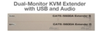
Visual Sound, Inc. CAT5-5600A Extender EXT-CAT5-5600A

Description
Gefen LLC Extra Long KVM Extension for Dual VGA, USB, and Audio over CAT-5 The Gefen CAT5-5600A extends 2 VGA monitors, Audio, and USB up to 330 feet (100 meters) using three CAT-5 cables. Display resolutions up to 1920x1200@60Hz are supported. Local monitors can be connected to the Sender Unit and up to four monitors can be connected to the Receiver Unit. Four USB connectors on the Receiver Unit allow control of the computer system from the KVM workstation. Mini-Stereo 3.5mm connectors provide for the connection and the extension of two independent stereo audio devices. How It Works Place the CAT5-5600A Sender Unit next to the VGA source. Use the included VGA cables to connect the sources to the Sender Unit. Optionally connect local monitors to the Sender Unit using VGA cables. Connect up to four monitors to the Receiver Unit with VGA cables. Connect the USB devices to the input and output connectors. For audio, connect mini-stereo cables between the audio sources and the audio inputs on the Sender Unit. Connect mini-stereo cables between the audio outputs on the Receiver Unit and the audio devices. Use three CAT-5 cables to connect the Sender Unit to the Receiver Unit, up to 330 feet (100 meters) away. Connect the included locking power supplies to both the Sender Unit and Receiver Unit then connect both power cables to available electrical outlets. The computer can now be controlled from the KVM workstation. Note: VGA and Audio extend to 1000 feet (300 meters). USB has a maximum extension distance of 330 feet (100 meters).
Description
Gefen LLC Extra Long KVM Extension for Dual VGA, USB, and Audio over CAT-5 The Gefen CAT5-5600A extends 2 VGA monitors, Audio, and USB up to 330 feet (100 meters) using three CAT-5 cables. Display resolutions up to 1920x1200@60Hz are supported. Local monitors can be connected to the Sender Unit and up to four monitors can be connected to the Receiver Unit. Four USB connectors on the Receiver Unit allow control of the computer system from the KVM workstation. Mini-Stereo 3.5mm connectors provide for the connection and the extension of two independent stereo audio devices. How It Works Place the CAT5-5600A Sender Unit next to the VGA source. Use the included VGA cables to connect the sources to the Sender Unit. Optionally connect local monitors to the Sender Unit using VGA cables. Connect up to four monitors to the Receiver Unit with VGA cables. Connect the USB devices to the input and output connectors. For audio, connect mini-stereo cables between the audio sources and the audio inputs on the Sender Unit. Connect mini-stereo cables between the audio outputs on the Receiver Unit and the audio devices. Use three CAT-5 cables to connect the Sender Unit to the Receiver Unit, up to 330 feet (100 meters) away. Connect the included locking power supplies to both the Sender Unit and Receiver Unit then connect both power cables to available electrical outlets. The computer can now be controlled from the KVM workstation. Note: VGA and Audio extend to 1000 feet (300 meters). USB has a maximum extension distance of 330 feet (100 meters).

Suppliers

Company
Product
Description
Supplier Links
CAT5-5600A Extender - EXT-CAT5-5600A - Visual Sound, Inc.
Broomall, PA, USA
CAT5-5600A Extender
EXT-CAT5-5600A
CAT5-5600A Extender EXT-CAT5-5600A
Gefen LLC Extra Long KVM Extension for Dual VGA, USB, and Audio over CAT-5 The Gefen CAT5-5600A extends 2 VGA monitors, Audio, and USB up to 330 feet (100 meters) using three CAT-5 cables. Display resolutions up to 1920x1200@60Hz are supported. Local monitors can be connected to the Sender Unit and up to four monitors can be connected to the Receiver Unit. Four USB connectors on the Receiver Unit allow control of the computer system from the KVM workstation. Mini-Stereo 3.5mm connectors provide for the connection and the extension of two independent stereo audio devices. How It Works Place the CAT5-5600A Sender Unit next to the VGA source. Use the included VGA cables to connect the sources to the Sender Unit. Optionally connect local monitors to the Sender Unit using VGA cables. Connect up to four monitors to the Receiver Unit with VGA cables. Connect the USB devices to the input and output connectors. For audio, connect mini-stereo cables between the audio sources and the audio inputs on the Sender Unit. Connect mini-stereo cables between the audio outputs on the Receiver Unit and the audio devices. Use three CAT-5 cables to connect the Sender Unit to the Receiver Unit, up to 330 feet (100 meters) away. Connect the included locking power supplies to both the Sender Unit and Receiver Unit then connect both power cables to available electrical outlets. The computer can now be controlled from the KVM workstation. Note: VGA and Audio extend to 1000 feet (300 meters). USB has a maximum extension distance of 330 feet (100 meters).

Gefen LLC

Extra Long KVM Extension for Dual VGA, USB, and Audio over CAT-5
The Gefen CAT5-5600A extends 2 VGA monitors, Audio, and USB up to 330 feet (100 meters) using three CAT-5 cables. Display resolutions up to 1920x1200@60Hz are supported. Local monitors can be connected to the Sender Unit and up to four monitors can be connected to the Receiver Unit. Four USB connectors on the Receiver Unit allow control of the computer system from the KVM workstation. Mini-Stereo 3.5mm connectors provide for the connection and the extension of two independent stereo audio devices.
How It Works
Place the CAT5-5600A Sender Unit next to the VGA source. Use the included VGA cables to connect the sources to the Sender Unit. Optionally connect local monitors to the Sender Unit using VGA cables. Connect up to four monitors to the Receiver Unit with VGA cables. Connect the USB devices to the input and output connectors. For audio, connect mini-stereo cables between the audio sources and the audio inputs on the Sender Unit. Connect mini-stereo cables between the audio outputs on the Receiver Unit and the audio devices. Use three CAT-5 cables to connect the Sender Unit to the Receiver Unit, up to 330 feet (100 meters) away. Connect the included locking power supplies to both the Sender Unit and Receiver Unit then connect both power cables to available electrical outlets. The computer can now be controlled from the KVM workstation.
Note: VGA and Audio extend to 1000 feet (300 meters). USB has a maximum extension distance of 330 feet (100 meters).

Supplier's Site

Technical Specifications

  Visual Sound, Inc.
Product Category Electrical Connectors
Product Number EXT-CAT5-5600A
Product Name CAT5-5600A Extender
Connector Type Audio / Video
Unlock Full Specs
to access all available technical data

Similar Products

PCI Express - 10018783-10222TLF - Amphenol Communications Solutions
Amphenol Communications Solutions
Specs
Connector Type Card Edge Connector
Voltage Rating 300 volts
Current Rating 1.1 amps
View Details
3 suppliers
50 Ohm N Connector, N Bulkhead Jack - 190522A - PIC Wire & Cable
Specs
Connector Type Circular / Cylindrical Connectors; Coaxial Connector; Military Connector
Termination Crimp
Mounting Bulkhead
View Details