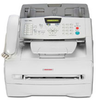
Application & Environment With The Ricoh AC205, You Get Big Office Performance from the Convenience of Your Desktop
Advanced digital copying, network printing, full color network scanning - right out of the box.
22 ppm copy/print speed; 550-sheet maximum paper capacity.
600 x 600 dpi resolution for printing/scanning; scan up to 8.5" X 14" originals.
Super G3 technology for fast 3 seconds per page facsimile transmissions.
Copier reduction and enlargement ratios from 25% to 400%; fax page memory of 4MB (up to 320 pages).
Whether you work in a small office, a home office, or are in a small workgroup, the Ricoh AC205 Multifunctional Digital Imaging System offers the state-of-the-art technology that you need in order to make every workday more productive than the next. Straight out of the box and right from your desktop, the Ricoh AC205 lets you enjoy advanced Digital Copying, Network Printing, Full Color Network Scanning, Super and G3 Faxing, plus a standard USB Flash Drive Port and an easy to maintain All-In-One Toner Cartridge. Besides a 22 page-per-minute copy/print speed with a maximum paper capacity of 550 sheets, the Ricoh AC205 lets you streamline job output with these advantages:
Advanced Digital Copying: lets you scan originals up to 8 1/2" x 14", then automatically output the copies while you attend to other business tasks; or, select two sides on one page to automatically print both sides of any document onto one side of paper (great for copy identification documents like credit cards or medical insurance cards); and, with the versatility of the Ricoh AC205’s standard 50-Sheet Bypass Tray you’ll be able to copy/print onto transparencies, labels, card stock, and envelopes.
Network Ready PCL6 Printing: quickly connect to your network or PC using one of these three standard interfaces, USB 2.0/Ethernet/Paralle
l; through smooth integration with most current popular operating systems and business software, the Ricoh AC205 also lets you produce crisp, clear text and graphics; you can even remotely monitor and manage the Ricoh AC205 Digital Imaging System (with ease) from any standard web browser using Web Image Monitor Type 103.
Full-color Network Scanning: enhance the readability of your documents by scanning full-color or black & white images, photos or logos. You can save these images on your PC and then access them when you need to use them. Scan-to-Email allows you to scan full-color or black & white documents and then send them via the Internet from Outlook Express; with standard Readiris Pro 9 OCR software you can readily convert hardcopy documents into text format for easy editing.
Application & Environment
With The Ricoh AC205, You Get Big Office Performance from the Convenience of Your Desktop
- Advanced digital copying, network printing, full color network scanning - right out of the box.
- 22 ppm copy/print speed; 550-sheet maximum paper capacity.
- 600 x 600 dpi resolution for printing/scanning; scan up to 8.5" X 14" originals.
- Super G3 technology for fast 3 seconds per page facsimile transmissions.
- Copier reduction and enlargement ratios from 25% to 400%; fax page memory of 4MB (up to 320 pages).
Whether you work in a small office, a home office, or are in a small workgroup, the Ricoh AC205 Multifunctional Digital Imaging System offers the state-of-the-art technology that you need in order to make every workday more productive than the next. Straight out of the box and right from your desktop, the Ricoh AC205 lets you enjoy advanced Digital Copying, Network Printing, Full Color Network Scanning, Super and G3 Faxing, plus a standard USB Flash Drive Port and an easy to maintain All-In-One Toner Cartridge. Besides a 22 page-per-minute copy/print speed with a maximum paper capacity of 550 sheets, the Ricoh AC205 lets you streamline job output with these advantages:
- Advanced Digital Copying: lets you scan originals up to 8 1/2" x 14", then automatically output the copies while you attend to other business tasks; or, select two sides on one page to automatically print both sides of any document onto one side of paper (great for copy identification documents like credit cards or medical insurance cards); and, with the versatility of the Ricoh AC205’s standard 50-Sheet Bypass Tray you’ll be able to copy/print onto transparencies, labels, card stock, and envelopes.
- Network Ready PCL6 Printing: quickly connect to your network or PC using one of these three standard interfaces, USB 2.0/Ethernet/Parallel; through smooth integration with most current popular operating systems and business software, the Ricoh AC205 also lets you produce crisp, clear text and graphics; you can even remotely monitor and manage the Ricoh AC205 Digital Imaging System (with ease) from any standard web browser using Web Image Monitor Type 103.
- Full-color Network Scanning: enhance the readability of your documents by scanning full-color or black & white images, photos or logos. You can save these images on your PC and then access them when you need to use them. Scan-to-Email allows you to scan full-color or black & white documents and then send them via the Internet from Outlook Express; with standard Readiris Pro 9 OCR software you can readily convert hardcopy documents into text format for easy editing.