CNC Software Designed to Work With the PlasmaCAM Machine
The PlasmaCAM™ design & control software is the most crucial part of the system. Ease of use means your ideas quickly turn into production. You'll be amazed by how easily you can make outstanding products.
The unique controller bridges the gap between the software and cutting table, enabling you to see on screen what the machine is doing in real time. This link allows flexibility, since parts are cut directly from drawings without the extra step of posting a program.
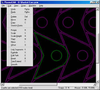
Designed specifically for plasma cutting, the PlasmaCAM™ software is included with the machine. This complete CAD/CAM program not only creates designs, it also runs the machine (no other software is needed). The program is Windows-based and very easy to use.
PlasmaCAM™ is the only CNC plasma cutting machine that lets you work directly with the images that you want to cut, eliminating any need for machine programs, layout drawings, or metal patterns. The software controls and tracks the machine in real time, providing a visual link between the designs on-screen and the shapes being cut. This makes laying out and cutting parts easier than ever!
Drawing & Editing
Directly read and convert scanned pictures and hand-drawn artwork. PlasmaCAM's™ unique, automatic functions remove defects and turn images into paths (vectors) that can be cut by a machine.
Add artistic lettering to your designs using various True Type fonts for plasma cut art.
Transfer files to and from other programs in many file formats, allowing you to use designs from other sources.
Quickly and precisely draw geometric shapes and/or modify designs.
Measure part designs to see dimensions and how long parts will take to cut.
Zoom in for a close look at a particular area while you work.
Resize, rotate, make copies, nest parts and much more!
Machine Control
Automatically prepare complex designs for cutting in one step. This adjusts the shape for the torch kerf, adds lead-in pierce points, and reorders holes to be cut in order before the perimeter.
View and change the order in which any piece is to be cut, if desired.
Easily place parts on screen exactly where you want them cut from the material. The computer screen shows the locations of your parts, material and torch.
Immediately move the torch to any point on the cutting table - just click with the mouse.
Jog and shuttle the torch around using the controller - the computer screen simultaneously shows where the torch tip is in relation to your drawing.
Select a part on screen to cut it. The torch tip cursor moves around the part on-screen during cutting.
CNC Software Designed to Work With the PlasmaCAM Machine
The PlasmaCAM™ design & control software is the most crucial part of the system. Ease of use means your ideas quickly turn into production. You'll be amazed by how easily you can make outstanding products.
The unique controller bridges the gap between the software and cutting table, enabling you to see on screen what the machine is doing in real time. This link allows flexibility, since parts are cut directly from drawings without the extra step of posting a program.
Designed specifically for plasma cutting, the PlasmaCAM™ software is included with the machine. This complete CAD/CAM program not only creates designs, it also runs the machine (no other software is needed). The program is Windows-based and very easy to use.
PlasmaCAM™ is the only CNC plasma cutting machine that lets you work directly with the images that you want to cut, eliminating any need for machine programs, layout drawings, or metal patterns. The software controls and tracks the machine in real time, providing a visual link between the designs on-screen and the shapes being cut. This makes laying out and cutting parts easier than ever!
Drawing & Editing
- Directly read and convert scanned pictures and hand-drawn artwork. PlasmaCAM's™ unique, automatic functions remove defects and turn images into paths (vectors) that can be cut by a machine.
- Add artistic lettering to your designs using various True Type fonts for plasma cut art.
- Transfer files to and from other programs in many file formats, allowing you to use designs from other sources.
- Quickly and precisely draw geometric shapes and/or modify designs.
- Measure part designs to see dimensions and how long parts will take to cut.
- Zoom in for a close look at a particular area while you work.
- Resize, rotate, make copies, nest parts and much more!
Machine Control
- Automatically prepare complex designs for cutting in one step. This adjusts the shape for the torch kerf, adds lead-in pierce points, and reorders holes to be cut in order before the perimeter.
- View and change the order in which any piece is to be cut, if desired.
- Easily place parts on screen exactly where you want them cut from the material. The computer screen shows the locations of your parts, material and torch.
- Immediately move the torch to any point on the cutting table - just click with the mouse.
- Jog and shuttle the torch around using the controller - the computer screen simultaneously shows where the torch tip is in relation to your drawing.
- Select a part on screen to cut it. The torch tip cursor moves around the part on-screen during cutting.