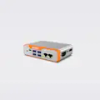
P.I. Engineering, Inc. X-keys USB Switch Interface XSI-38-USB-R

Description
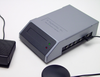
Any switch can trigger an action from your computer. Connect up to 12 switches to the X-keys USB Switch Interface and program each switch with a function. Any keyboard shortcut your software uses can have a designated switch (copy, paste, save, open, close). Switches are easily set up to launch applications, open files, or type short lines of text like names, addresses, and account numbers. Switches are connected via Assistive Technology standard 3mm (1/8”) phone plugs. Perfect for Assistive Technology Users Great for displays and kiosks 12 programmable ports Program Keyboard and Mouse commands Easily create your own macros Programs in a language every computer user understands -- keystroke Connects to the USB port just like a USB keyboard Includes MacroWorks 3 software for Windows (or ControllerMate for Mac OS-X) Includes 118" (3 m) USB cord Full support with P.I. Engineering SDK 30 days full refund return policy Comprehensive Software Development Kit for programmers
Description
Any switch can trigger an action from your computer. Connect up to 12 switches to the X-keys USB Switch Interface and program each switch with a function. Any keyboard shortcut your software uses can have a designated switch (copy, paste, save, open, close). Switches are easily set up to launch applications, open files, or type short lines of text like names, addresses, and account numbers. Switches are connected via Assistive Technology standard 3mm (1/8”) phone plugs. Perfect for Assistive Technology Users Great for displays and kiosks 12 programmable ports Program Keyboard and Mouse commands Easily create your own macros Programs in a language every computer user understands -- keystroke Connects to the USB port just like a USB keyboard Includes MacroWorks 3 software for Windows (or ControllerMate for Mac OS-X) Includes 118" (3 m) USB cord Full support with P.I. Engineering SDK 30 days full refund return policy Comprehensive Software Development Kit for programmers

Suppliers

Company
Product
Description
Supplier Links
X-keys USB Switch Interface - XSI-38-USB-R - P.I. Engineering, Inc.
Williamston, MI, USA
X-keys USB Switch Interface
XSI-38-USB-R
X-keys USB Switch Interface XSI-38-USB-R
Any switch can trigger an action from your computer. Connect up to 12 switches to the X-keys USB Switch Interface and program each switch with a function. Any keyboard shortcut your software uses can have a designated switch (copy, paste, save, open, close). Switches are easily set up to launch applications, open files, or type short lines of text like names, addresses, and account numbers. Switches are connected via Assistive Technology standard 3mm (1/8”) phone plugs. Perfect for Assistive Technology Users Great for displays and kiosks 12 programmable ports Program Keyboard and Mouse commands Easily create your own macros Programs in a language every computer user understands -- keystroke Connects to the USB port just like a USB keyboard Includes MacroWorks 3 software for Windows (or ControllerMate for Mac OS-X) Includes 118" (3 m) USB cord Full support with P.I. Engineering SDK 30 days full refund return policy Comprehensive Software Development Kit for programmers
Any switch can trigger an action from your computer. Connect up to 12 switches to the X-keys USB Switch Interface and program each switch with a function. Any keyboard shortcut your software uses can have a designated switch (copy, paste, save, open, close). Switches are easily set up to launch applications, open files, or type short lines of text like names, addresses, and account numbers. Switches are connected via Assistive Technology standard 3mm (1/8”) phone plugs.

  • Perfect for Assistive Technology Users
  • Great for displays and kiosks
  • 12 programmable ports
  • Program Keyboard and Mouse commands
  • Easily create your own macros
  • Programs in a language every computer user understands -- keystroke
  • Connects to the USB port just like a USB keyboard
  • Includes MacroWorks 3 software for Windows (or ControllerMate for Mac OS-X)
  • Includes 118" (3 m) USB cord
  • Full support with P.I. Engineering SDK
  • 30 days full refund return policy
  • Comprehensive Software Development Kit for programmers
Supplier's Site

Technical Specifications

  P.I. Engineering, Inc.
Product Category Network Equipment
Product Number XSI-38-USB-R
Product Name X-keys USB Switch Interface
Network Equipment Switch
Unlock Full Specs
to access all available technical data

Similar Products

CANwireless with external antenna connection - CR3133 - ifm efector inc.
Specs
Area Network Type CAN
Protocol / Network CAN; WLAN; Bluetooth
View Details
Port Extender for 75 Ohm VNAs - PE0312-75 - Copper Mountain Technologies
Copper Mountain Technologies
Specs
Network Equipment Repeater
Number of Ports 12 #
View Details
LoRa Wireless Gateway - HW500 - Holykell Technology Company Limited
Holykell Technology Company Limited
Specs
Network Equipment Gateway
Network Media Wireless
View Details
CANpro USB embedded -  - Softing Inc. Industrial Automation
Softing Inc. Industrial Automation
Specs
Network Equipment Modem
View Details