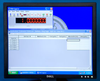
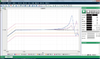
FDAD™ is an off-the-shelf test software toolset that is essential for productively testing real-time embedded systems. With FDAD's multi-display capability, real-time logging, playback and data export capabilities, FDAD™ is the premier test software toolset for testing embedded systems.
With FDAD™, you can:
Visualize embedded events unfolding in real-time within user-designed displays.
Slow playback down and analyze events frame by frame.
Export captured data to Excel, text or MATLAB file formats.
Automatically regenerate FDAD's data dictionary using innovative packet extraction technology.
Use FDAD's open interfaces to interface with external toolsets to provide additional capabilities.
FDAD™ is the breakthrough embedded test solution developed by embedded software and system test engineers for embedded software and system test engineers. Customer satisfaction is our number one priority.
Additional FDAD™ features:
Built-in display editor: Create custom user displays
Support for multiple display configurations supporting multiple displays
Supports open interfaces: The FDAD™ .RDF data file format is published in the user's guide; Ethernet data logging interface is also defined in the user's guide.
FDAD™ is an off-the-shelf test software toolset that is essential for productively testing real-time embedded systems. With FDAD's multi-display capability, real-time logging, playback and data export capabilities, FDAD™ is the premier test software toolset for testing embedded systems.
With FDAD™, you can:
- Visualize embedded events unfolding in real-time within user-designed displays.
- Slow playback down and analyze events frame by frame.
- Export captured data to Excel, text or MATLAB file formats.
- Automatically regenerate FDAD's data dictionary using innovative packet extraction technology.
- Use FDAD's open interfaces to interface with external toolsets to provide additional capabilities.
FDAD™ is the breakthrough embedded test solution developed by embedded software and system test engineers for embedded software and system test engineers. Customer satisfaction is our number one priority.
Additional FDAD™ features:
- Built-in display editor: Create custom user displays
- Support for multiple display configurations supporting multiple displays
- Supports open interfaces: The FDAD™ .RDF data file format is published in the user's guide; Ethernet data logging interface is also defined in the user's guide.