Do you need more than one StreamPix instance to achieve your multiple camera image streaming capture?
Are you using multiple computers with multiple cameras?
Do you need a single application that can remotely control all StreamPix instances over a LAN?
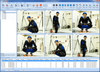
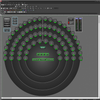
StreamPix Remote allows advance remote management of high speed video recording stations.
Features
Remotely view StreamPix 5 images (live feed or playback).
Remote control over the main features of StreamPix 5.
Create new remote sessions based on computer name or IP address and StreamPix 5 workspace name.
Show real-time per computer and per workspace status information.
File history available for better video shoot management.
Efficient CPU usage and network traffic monitoring.
Ability to send notifications to a 3rd-party application via UDP protocol.
Remotely control camera settings and adjustments (for simultaneous control cameras must be identical).
Support for Vicon Blade messaging protocole.
- Do you need more than one StreamPix instance to achieve your multiple camera image streaming capture?
- Are you using multiple computers with multiple cameras?
- Do you need a single application that can remotely control all StreamPix instances over a LAN?
StreamPix Remote allows advance remote management of high speed video recording stations.
Features
- Remotely view StreamPix 5 images (live feed or playback).
- Remote control over the main features of StreamPix 5.
- Create new remote sessions based on computer name or IP address and StreamPix 5 workspace name.
- Show real-time per computer and per workspace status information.
- File history available for better video shoot management.
- Efficient CPU usage and network traffic monitoring.
- Ability to send notifications to a 3rd-party application via UDP protocol.
- Remotely control camera settings and adjustments (for simultaneous control cameras must be identical).
- Support for Vicon Blade messaging protocole.