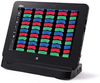
The DS-L4 tablet-style control unit eliminates the need and space requirements of a desktop PC to control the DS-Fi3 camera. DS-L4 has a large number of built-in functions for measurement and annotations, and has built-in security for network connectivity.
Benefits & features
Tablet-type camera control unit
Live menu/ Replay menu
The large, 10.1 inch, 1920 × 1200 pixel display allows easy confirmation of live images and captured images. With its touch panel display, smooth setting and control of the DS-Fi3 is possible. Bluetooth accessories such as a keyboard and mouse can also be connected.
User Interface for natural, simple operation
The camera control menu uses recognizable and intuitive icons. Frequently used icons are laid out in two rows to provide a wider display area for live images and captured images.
Scene mode
Optimal imaging parameters for the microscope’s light source (LED or halogen), each sample type, and each observation method, can easily be set through icons. Three modes for biological and four modes for industrial imaging are available. Up to seven custom modes with freely configurable shooting parameters can also be set.
Integration with a microscope
By connecting to a biological, industrial or stereo microscope equipped with motorized units, and intelligent units with status sensors, the DS-L4 enables control and status readouts of the microscope. Storing the information about mounted objectives is convenient for easy measurement.
Wide variety of tools/annotation functions
Measurement (point-to-point distance)
The DS-L4 allows easy measurement of an image, when information about objectives and the zoom ratio is stored in the DS-L4. It also enables input/saving of lines and comments to an image, and the output of measurement data.
Tightened security
McAfee White List method embedded control is preinstalled for virus management. A program that is not registered in White List cannot be launched, preventing viruses from being activated. By implementing user registration, usage is restricted to registered users only. This tightened security protects important images.
The DS-L4 tablet-style control unit eliminates the need and space requirements of a desktop PC to control the DS-Fi3 camera. DS-L4 has a large number of built-in functions for measurement and annotations, and has built-in security for network connectivity.
Benefits & features
Tablet-type camera control unit
Live menu/ Replay menu
The large, 10.1 inch, 1920 × 1200 pixel display allows easy confirmation of live images and captured images. With its touch panel display, smooth setting and control of the DS-Fi3 is possible. Bluetooth accessories such as a keyboard and mouse can also be connected.
User Interface for natural, simple operation
The camera control menu uses recognizable and intuitive icons. Frequently used icons are laid out in two rows to provide a wider display area for live images and captured images.
Scene mode
Optimal imaging parameters for the microscope’s light source (LED or halogen), each sample type, and each observation method, can easily be set through icons. Three modes for biological and four modes for industrial imaging are available. Up to seven custom modes with freely configurable shooting parameters can also be set.
Integration with a microscope
By connecting to a biological, industrial or stereo microscope equipped with motorized units, and intelligent units with status sensors, the DS-L4 enables control and status readouts of the microscope. Storing the information about mounted objectives is convenient for easy measurement.
Wide variety of tools/annotation functions
Measurement (point-to-point distance)
The DS-L4 allows easy measurement of an image, when information about objectives and the zoom ratio is stored in the DS-L4. It also enables input/saving of lines and comments to an image, and the output of measurement data.
Tightened security
McAfee White List method embedded control is preinstalled for virus management. A program that is not registered in White List cannot be launched, preventing viruses from being activated. By implementing user registration, usage is restricted to registered users only. This tightened security protects important images.