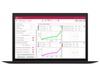
Mecmesin Corporation Force Testing Software Emperor Lite™

Description
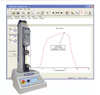
Emperor Lite provides a user-friendly means to evaluate results further for both force and torque measurements. Compatible with a range of Mecmesin test equipment and available in multiple languages, this software offers a simple way to gain valuable information about each samples performance. Use Emperor Lite™ to: View data plotted 'live' on a PC screen Work with a simple user-interface Easily identify pass/fail scenarios Perform calculations with ease Produce test reports or export results Simple set-up... With one click of a button, the software is automatically configured to work with the force or torque product selected from a menu of compatible Mecmesin testing equipment. Help when you need it... A comprehensive help system is on hand throughout the programme to guide you whenever you need. Take a fresh look at your test results... Emperor Lite provides a range of tools to help evaluate results further: Multiple calculations including; peak, trough, average, load/displacement at break and many more) Overlay multiple traces for comparative analysis Colour-coded results to highlight pass/fail scenarios Zoom and timeline functions for viewing areas in greater detail Customisation enabling titles and notes to be added Post evaluation options... Emperor Lite gives you even more options, once you have finished your initial examination of results: Create summary test reports to store and print Export data to other software e.g. Microsoft® Excel or SPC packages for further analysis Compatible with a range of products... Emperor Lite works with the following Mecmesin products: Instruments Test Systems Advanced Force Gauge (AFG) MultiTest-d motorised test system Basic Force Gauge (BFG) MultiTest-x console-controlled test system Try Emperor™ Lite today Register to the MyMecmesin Portal to download and evaluate a demo version of Emperor™ Lite. Need More Control? For a fully programmable force testing system that enables you to design, store and perform tests to your exact specifications, then undertake in-depth analysis, look no further than the MultiTest-i range of computer-controlled test systems. These force testing systems enable you to design, store and perform tests to your exact specifications, offering the ultimate in test accuracy and performance
Description
Emperor Lite provides a user-friendly means to evaluate results further for both force and torque measurements. Compatible with a range of Mecmesin test equipment and available in multiple languages, this software offers a simple way to gain valuable information about each samples performance. Use Emperor Lite™ to: View data plotted 'live' on a PC screen Work with a simple user-interface Easily identify pass/fail scenarios Perform calculations with ease Produce test reports or export results Simple set-up... With one click of a button, the software is automatically configured to work with the force or torque product selected from a menu of compatible Mecmesin testing equipment. Help when you need it... A comprehensive help system is on hand throughout the programme to guide you whenever you need. Take a fresh look at your test results... Emperor Lite provides a range of tools to help evaluate results further: Multiple calculations including; peak, trough, average, load/displacement at break and many more) Overlay multiple traces for comparative analysis Colour-coded results to highlight pass/fail scenarios Zoom and timeline functions for viewing areas in greater detail Customisation enabling titles and notes to be added Post evaluation options... Emperor Lite gives you even more options, once you have finished your initial examination of results: Create summary test reports to store and print Export data to other software e.g. Microsoft® Excel or SPC packages for further analysis Compatible with a range of products... Emperor Lite works with the following Mecmesin products: Instruments Test Systems Advanced Force Gauge (AFG) MultiTest-d motorised test system Basic Force Gauge (BFG) MultiTest-x console-controlled test system Try Emperor™ Lite today Register to the MyMecmesin Portal to download and evaluate a demo version of Emperor™ Lite. Need More Control? For a fully programmable force testing system that enables you to design, store and perform tests to your exact specifications, then undertake in-depth analysis, look no further than the MultiTest-i range of computer-controlled test systems. These force testing systems enable you to design, store and perform tests to your exact specifications, offering the ultimate in test accuracy and performance

Suppliers

Company
Product
Description
Supplier Links
Force Testing Software - Emperor Lite™ - Mecmesin Corporation
Sterling, VA, USA
Force Testing Software
Emperor Lite™
Force Testing Software Emperor Lite™
Emperor Lite provides a user-friendly means to evaluate results further for both force and torque measurements. Compatible with a range of Mecmesin test equipment and available in multiple languages, this software offers a simple way to gain valuable information about each samples performance. Use Emperor Lite™ to: View data plotted 'live' on a PC screen Work with a simple user-interface Easily identify pass/fail scenarios Perform calculations with ease Produce test reports or export results Simple set-up... With one click of a button, the software is automatically configured to work with the force or torque product selected from a menu of compatible Mecmesin testing equipment. Help when you need it... A comprehensive help system is on hand throughout the programme to guide you whenever you need. Take a fresh look at your test results... Emperor Lite provides a range of tools to help evaluate results further: Multiple calculations including; peak, trough, average, load/displacement at break and many more) Overlay multiple traces for comparative analysis Colour-coded results to highlight pass/fail scenarios Zoom and timeline functions for viewing areas in greater detail Customisation enabling titles and notes to be added Post evaluation options... Emperor Lite gives you even more options, once you have finished your initial examination of results: Create summary test reports to store and print Export data to other software e.g. Microsoft® Excel or SPC packages for further analysis Compatible with a range of products... Emperor Lite works with the following Mecmesin products: Instruments Test Systems Advanced Force Gauge (AFG) MultiTest-d motorised test system Basic Force Gauge (BFG) MultiTest-x console-controlled test system Try Emperor™ Lite today Register to the MyMecmesin Portal to download and evaluate a demo version of Emperor™ Lite. Need More Control? For a fully programmable force testing system that enables you to design, store and perform tests to your exact specifications, then undertake in-depth analysis, look no further than the MultiTest-i range of computer-controlled test systems. These force testing systems enable you to design, store and perform tests to your exact specifications, offering the ultimate in test accuracy and performance
Emperor Lite provides a user-friendly means to evaluate results further for both force and torque measurements. Compatible with a range of Mecmesin test equipment and available in multiple languages, this software offers a simple way to gain valuable information about each samples performance.

Use Emperor Lite™ to:

  • View data plotted 'live' on a PC screen
  • Work with a simple user-interface
  • Easily identify pass/fail scenarios
  • Perform calculations with ease
  • Produce test reports or export results

Simple set-up...

With one click of a button, the software is automatically configured to work with the force or torque product selected from a menu of compatible Mecmesin testing equipment.

Help when you need it...

A comprehensive help system is on hand throughout the programme to guide you whenever you need.

Take a fresh look at your test results...

Emperor Lite provides a range of tools to help evaluate results further:

  • Multiple calculations including; peak, trough, average, load/displacement at break and many more)
  • Overlay multiple traces for comparative analysis
  • Colour-coded results to highlight pass/fail scenarios
  • Zoom and timeline functions for viewing areas in greater detail
  • Customisation enabling titles and notes to be added

Post evaluation options...

Emperor Lite gives you even more options, once you have finished your initial examination of results:

  • Create summary test reports to store and print
  • Export data to other software e.g. Microsoft® Excel or SPC packages for further analysis

Compatible with a range of products...

Emperor Lite works with the following Mecmesin products:

InstrumentsTest Systems
Advanced Force Gauge (AFG)MultiTest-d motorised test system
Basic Force Gauge (BFG)MultiTest-x console-controlled test system

Try Emperor™ Lite today

Register to the MyMecmesin Portal to download and evaluate a demo version of Emperor™ Lite.
Need More Control?

For a fully programmable force testing system that enables you to design, store and perform tests to your exact specifications, then undertake in-depth analysis, look no further than the MultiTest-i range of computer-controlled test systems.
These force testing systems enable you to design, store and perform tests to your exact specifications, offering the ultimate in test accuracy and performance

Supplier's Site

Technical Specifications

  Mecmesin Corporation
Product Category Test, Inspection, and Measurement Software
Product Number Emperor Lite™
Product Name Force Testing Software
Applications Mechanical Test
Unlock Full Specs
to access all available technical data

Similar Products

Device Characterization - IP-IMP-PAS - Maury Microwave
Specs
Applications Calibration
View Details
Instrument Systems Spectral Software - SpecWin Pro - Konica Minolta Sensing Americas, Inc.
Konica Minolta Sensing Americas, Inc.
Specs
Applications Spectrometry Test
Computer Platform PC
Features Data Acquisition Capability
View Details
eBUS Studio -  - Pleora Technologies Inc.
Pleora Technologies Inc.
Specs
Applications Compliance; Quality Assurance
Features Program Custom Tests; Data Acquisition Capability
View Details
Inspection software module -  - FARO CREAFORM
Specs
Applications Condition Monitoring Software; Non-Destructive Test
View Details