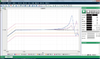
Mecmesin Corporation Force Testing Software Emperor™ (Force)

Description
Build Program Create your test procedure step by step Totally open and free access to create test routines to exact specifications with no restrictions as in other material testing software Alternatively, choose a pre-programmed test stored in the library and tailor it to suit your requirements. These test procedures include: Run to force, displacement, break or time User-interface simplifies the task of testing Emperor's simple-to-use interface enables easy management of test set-up. Designed for different levels of operation, users are guided throughout the test creation process, minimising training time Toolbars provide a quick means of navigating to most commonly used features Fully customise your test e.g. add tolerance bands to easily identify pass/fail scenarios, pre-define critical parameters for automatic detection, such as peak load, average load, and many more Security Restricted levels of access between supervisor and operator avoids accidental tampering of test programs View Test Data Accuracy comes as standard Emperor can collect data at 2000 times per second to ensure accurate, detailed recording of results from every specimen Its intelligent programming means Emperor can smooth any 'noise', which detracts from test features of interest by lowering data collection rate Loadcell deflection compensation is automatically implemented by Mecmesin's intelligent loadcell (ILC), to provide consistently accurate sample readings and requiring no user intervention Evaluate Test Data Perform test evaluations with ease Emperor software enables you to undertake standard calculations, such as peak load, average load, multiple peak and trough, area, etc, with a few clicks of a button Sophisticated functions, such as the ability to detect a step/slope change in the data are also included, as well as the ability to create your own functions using bespoke variables Assess results in greater detail by zooming in on portions of interest Click the image to enlargeClick image to enlarge View multiple results by selecting 2 or more test traces to overlay for comparative analysis. Interrogate results using the zoom tool, timeline and cursor-drop facilities Replay the test, as often as you wish, to identify key points and automatically recognise pass/fail scenarios through colour-coded results For ultimate flexibility, all calculations are applied post-test so data can be recalculated without having to repeat the test procedure
Description
Build Program Create your test procedure step by step Totally open and free access to create test routines to exact specifications with no restrictions as in other material testing software Alternatively, choose a pre-programmed test stored in the library and tailor it to suit your requirements. These test procedures include: Run to force, displacement, break or time User-interface simplifies the task of testing Emperor's simple-to-use interface enables easy management of test set-up. Designed for different levels of operation, users are guided throughout the test creation process, minimising training time Toolbars provide a quick means of navigating to most commonly used features Fully customise your test e.g. add tolerance bands to easily identify pass/fail scenarios, pre-define critical parameters for automatic detection, such as peak load, average load, and many more Security Restricted levels of access between supervisor and operator avoids accidental tampering of test programs View Test Data Accuracy comes as standard Emperor can collect data at 2000 times per second to ensure accurate, detailed recording of results from every specimen Its intelligent programming means Emperor can smooth any 'noise', which detracts from test features of interest by lowering data collection rate Loadcell deflection compensation is automatically implemented by Mecmesin's intelligent loadcell (ILC), to provide consistently accurate sample readings and requiring no user intervention Evaluate Test Data Perform test evaluations with ease Emperor software enables you to undertake standard calculations, such as peak load, average load, multiple peak and trough, area, etc, with a few clicks of a button Sophisticated functions, such as the ability to detect a step/slope change in the data are also included, as well as the ability to create your own functions using bespoke variables Assess results in greater detail by zooming in on portions of interest Click the image to enlargeClick image to enlarge View multiple results by selecting 2 or more test traces to overlay for comparative analysis. Interrogate results using the zoom tool, timeline and cursor-drop facilities Replay the test, as often as you wish, to identify key points and automatically recognise pass/fail scenarios through colour-coded results For ultimate flexibility, all calculations are applied post-test so data can be recalculated without having to repeat the test procedure

Suppliers

Company
Product
Description
Supplier Links
Force Testing Software - Emperor™ (Force) - Mecmesin Corporation
Sterling, VA, USA
Force Testing Software
Emperor™ (Force)
Force Testing Software Emperor™ (Force)
Build Program Create your test procedure step by step Totally open and free access to create test routines to exact specifications with no restrictions as in other material testing software Alternatively, choose a pre-programmed test stored in the library and tailor it to suit your requirements. These test procedures include: Run to force, displacement, break or time User-interface simplifies the task of testing Emperor's simple-to-use interface enables easy management of test set-up. Designed for different levels of operation, users are guided throughout the test creation process, minimising training time Toolbars provide a quick means of navigating to most commonly used features Fully customise your test e.g. add tolerance bands to easily identify pass/fail scenarios, pre-define critical parameters for automatic detection, such as peak load, average load, and many more Security Restricted levels of access between supervisor and operator avoids accidental tampering of test programs View Test Data Accuracy comes as standard Emperor can collect data at 2000 times per second to ensure accurate, detailed recording of results from every specimen Its intelligent programming means Emperor can smooth any 'noise', which detracts from test features of interest by lowering data collection rate Loadcell deflection compensation is automatically implemented by Mecmesin's intelligent loadcell (ILC), to provide consistently accurate sample readings and requiring no user intervention Evaluate Test Data Perform test evaluations with ease Emperor software enables you to undertake standard calculations, such as peak load, average load, multiple peak and trough, area, etc, with a few clicks of a button Sophisticated functions, such as the ability to detect a step/slope change in the data are also included, as well as the ability to create your own functions using bespoke variables Assess results in greater detail by zooming in on portions of interest Click the image to enlargeClick image to enlarge View multiple results by selecting 2 or more test traces to overlay for comparative analysis. Interrogate results using the zoom tool, timeline and cursor-drop facilities Replay the test, as often as you wish, to identify key points and automatically recognise pass/fail scenarios through colour-coded results For ultimate flexibility, all calculations are applied post-test so data can be recalculated without having to repeat the test procedure
Build Program

Create your test procedure step by step

  • Totally open and free access to create test routines to exact specifications with no restrictions as in other material testing software
  • Alternatively, choose a pre-programmed test stored in the library and tailor it to suit your requirements. These test procedures include: Run to force, displacement, break or time
  • User-interface simplifies the task of testing
  • Emperor's simple-to-use interface enables easy management of test set-up. Designed for different levels of operation, users are guided throughout the test creation process, minimising training time
  • Toolbars provide a quick means of navigating to most commonly used features
  • Fully customise your test e.g. add tolerance bands to easily identify pass/fail scenarios, pre-define critical parameters for automatic detection, such as peak load, average load, and many more

Security

Restricted levels of access between supervisor and operator avoids accidental tampering of test programs

View Test Data

Accuracy comes as standard

  • Emperor can collect data at 2000 times per second to ensure accurate, detailed recording of results from every specimen
  • Its intelligent programming means Emperor can smooth any 'noise', which detracts from test features of interest by lowering data collection rate
  • Loadcell deflection compensation is automatically implemented by Mecmesin's intelligent loadcell (ILC), to provide consistently accurate sample readings and requiring no user intervention

Evaluate Test Data

Perform test evaluations with ease

  • Emperor software enables you to undertake standard calculations, such as peak load, average load, multiple peak and trough, area, etc, with a few clicks of a button
  • Sophisticated functions, such as the ability to detect a step/slope change in the data are also included, as well as the ability to create your own functions using bespoke variables
  • Assess results in greater detail by zooming in on portions of interest
  • Click the image to enlargeClick image to enlarge
  • View multiple results by selecting 2 or more test traces to overlay for comparative analysis. Interrogate results using the zoom tool, timeline and cursor-drop facilities
  • Replay the test, as often as you wish, to identify key points and automatically recognise pass/fail scenarios through colour-coded results
  • For ultimate flexibility, all calculations are applied post-test so data can be recalculated without having to repeat the test procedure
Supplier's Site

Technical Specifications

  Mecmesin Corporation
Product Category Test, Inspection, and Measurement Software
Product Number Emperor™ (Force)
Product Name Force Testing Software
Applications Mechanical Test
Unlock Full Specs
to access all available technical data

Similar Products

Skin Analysis Software - CM-SA - Konica Minolta Sensing Americas, Inc.
Konica Minolta Sensing Americas, Inc.
Specs
Applications Spectrometry Test
Computer Platform PC
Features Data Acquisition Capability
View Details
Device Characterization - IP-IMP-WID - Maury Microwave
Specs
Applications Calibration
View Details
FARO® CAM2® Metrology Software -  - FARO CREAFORM
Specs
Applications Mechanical Test; Non-Destructive Test
Computer Platform PC
View Details