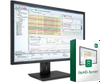
Measurement Computing Icon-Based Data Acquisition, Graphics, Control, and Analysis Software DASYLab®

Description
KEY HIGHLIGHTS DASYLab data acquisition (DAQ) software provides tools and functions to quickly and easily develop complex applications without programming. The software offers real-time analysis, control, and graphics tools for creating custom graphical user interfaces (GUIs), supports most MCC devices, and also supports hardware from over 20 vendors. Create complex applications quickly and easily without programming Real-time data acquisition, analysis, control, and display functions Standard real-time displays (charts, meters, graphs) Up to 200 layouts for custom user interfaces and reports Complete library of computational functions including Statistics and FFT analysis Four levels of features from simple data logging to advanced signal analysis State Machine function for complex state-based scenarios Worksheet Sequencer allows you to control the execution of multiple worksheets Script feature allows you to create custom functions using open source Python™ Connect to serial, OPC, ODBC, MODBUS, IVI, and TCP/IP based devices Drivers for MCC, Data Translation®, IOtech®, National Instruments™, and other vendors Combine analog, digital and counter inputs and outputs in one test Simple creation of reusable code blocks with the Black Box module More than 512 channels on multiple devices Supported Operating Systems: Windows® 10/8/7
Datasheet
Description
KEY HIGHLIGHTS DASYLab data acquisition (DAQ) software provides tools and functions to quickly and easily develop complex applications without programming. The software offers real-time analysis, control, and graphics tools for creating custom graphical user interfaces (GUIs), supports most MCC devices, and also supports hardware from over 20 vendors. Create complex applications quickly and easily without programming Real-time data acquisition, analysis, control, and display functions Standard real-time displays (charts, meters, graphs) Up to 200 layouts for custom user interfaces and reports Complete library of computational functions including Statistics and FFT analysis Four levels of features from simple data logging to advanced signal analysis State Machine function for complex state-based scenarios Worksheet Sequencer allows you to control the execution of multiple worksheets Script feature allows you to create custom functions using open source Python™ Connect to serial, OPC, ODBC, MODBUS, IVI, and TCP/IP based devices Drivers for MCC, Data Translation®, IOtech®, National Instruments™, and other vendors Combine analog, digital and counter inputs and outputs in one test Simple creation of reusable code blocks with the Black Box module More than 512 channels on multiple devices Supported Operating Systems: Windows® 10/8/7
Datasheet

Suppliers

Company
Product
Description
Supplier Links
Icon-Based Data Acquisition, Graphics, Control, and Analysis Software - DASYLab® - Measurement Computing
Norton, MA, United States
Icon-Based Data Acquisition, Graphics, Control, and Analysis Software
DASYLab®
Icon-Based Data Acquisition, Graphics, Control, and Analysis Software DASYLab®
KEY HIGHLIGHTS DASYLab data acquisition (DAQ) software provides tools and functions to quickly and easily develop complex applications without programming. The software offers real-time analysis, control, and graphics tools for creating custom graphical user interfaces (GUIs), supports most MCC devices, and also supports hardware from over 20 vendors. Create complex applications quickly and easily without programming Real-time data acquisition, analysis, control, and display functions Standard real-time displays (charts, meters, graphs) Up to 200 layouts for custom user interfaces and reports Complete library of computational functions including Statistics and FFT analysis Four levels of features from simple data logging to advanced signal analysis State Machine function for complex state-based scenarios Worksheet Sequencer allows you to control the execution of multiple worksheets Script feature allows you to create custom functions using open source Python™ Connect to serial, OPC, ODBC, MODBUS, IVI, and TCP/IP based devices Drivers for MCC, Data Translation®, IOtech®, National Instruments™, and other vendors Combine analog, digital and counter inputs and outputs in one test Simple creation of reusable code blocks with the Black Box module More than 512 channels on multiple devices Supported Operating Systems: Windows® 10/8/7

KEY HIGHLIGHTS

DASYLab data acquisition (DAQ) software provides tools and functions to quickly and easily develop complex applications without programming. The software offers real-time analysis, control, and graphics tools for creating custom graphical user interfaces (GUIs), supports most MCC devices, and also supports hardware from over 20 vendors.

  • Create complex applications quickly and easily without programming
  • Real-time data acquisition, analysis, control, and display functions
  • Standard real-time displays (charts, meters, graphs)
  • Up to 200 layouts for custom user interfaces and reports
  • Complete library of computational functions including Statistics and FFT analysis
  • Four levels of features from simple data logging to advanced signal analysis
  • State Machine function for complex state-based scenarios
  • Worksheet Sequencer allows you to control the execution of multiple worksheets
  • Script feature allows you to create custom functions using open source Python™
  • Connect to serial, OPC, ODBC, MODBUS, IVI, and TCP/IP based devices
  • Drivers for MCC, Data Translation®, IOtech®, National Instruments™, and other vendors
  • Combine analog, digital and counter inputs and outputs in one test
  • Simple creation of reusable code blocks with the Black Box module
  • More than 512 channels on multiple devices
  • Supported Operating Systems: Windows® 10/8/7

Supplier's Site Datasheet

Technical Specifications

  Measurement Computing
Product Category Data Acquisition Software
Product Number DASYLab®
Product Name Icon-Based Data Acquisition, Graphics, Control, and Analysis Software
Unlock Full Specs
to access all available technical data

Similar Products