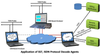
ConsFldCdrToCsv is a console based client application for WCS Protocol Decode Agent Modules (PDAM). Currently the console client application monitors SS7/ISDN Links, decodes multiple SS7/ISDN protocol standards, filters user-specified protocol parameters, builds CDRs, and streams over TCP/IP to remote site. The client is controlled by an *.INI file that is passed as a parameter. SS7.ini / ISDN.ini is the INI configuration files comprising of the decoding parameters required to perform SS7 / ISDN real-time analysis.
Screenshots
ConsFldCdrToCsv SS7.ini command execution in the command prompt window
Sample SS7.ini file
Sample ISDN.ini file
Applications
Remote performance monitoring - SS7/ISDN messages with call trace for Remote Protocol Analysis
Billing verification - Probes collect specific information to relay CDRs for Billing information
Network management system (NMS) and customized Network Surveillance
Main Features
Monitors and decodes multiple SS7/ISDN protocol standards from a remote client Example: Module = WcsPaIsdnT1 , ProtocolStandard=”Q.
93x”
Allows applying filters based on protocol layers and fields to limit the amount of data sent to client- Example: LayerFilter.0="MTP2" , FieldFilter.0=OPC
Allows capturing on specified timeslots, Nx64 hyper-channels, or sub-channels. Example: TS.0=#1:1..10 - The timeslots 1 to 10 are selected in the device number 1 to capture frames.
Allows the following types of information to be sent to the remote client – Example: SEND=HDR DATA FIELDS CDR
Frame header information (HDR)
Frame raw data (DATA)
Frame protocol decode field names and values (FIELDS)
CDR field names and values (CDRS) in *.csv format
ConsFldCdrToCsv is a console based client application for WCS Protocol Decode Agent Modules (PDAM). Currently the console client application monitors SS7/ISDN Links, decodes multiple SS7/ISDN protocol standards, filters user-specified protocol parameters, builds CDRs, and streams over TCP/IP to remote site. The client is controlled by an *.INI file that is passed as a parameter. SS7.ini / ISDN.ini is the INI configuration files comprising of the decoding parameters required to perform SS7 / ISDN real-time analysis.
Screenshots
- ConsFldCdrToCsv SS7.ini command execution in the command prompt window
- Sample SS7.ini file
- Sample ISDN.ini file
Applications
- Remote performance monitoring - SS7/ISDN messages with call trace for Remote Protocol Analysis
- Billing verification - Probes collect specific information to relay CDRs for Billing information
- Network management system (NMS) and customized Network Surveillance
Main Features
- Monitors and decodes multiple SS7/ISDN protocol standards from a remote client
Example: Module = WcsPaIsdnT1 , ProtocolStandard=”Q.93x”
- Allows applying filters based on protocol layers and fields to limit the amount of data sent to client-
Example: LayerFilter.0="MTP2" , FieldFilter.0=OPC
- Allows capturing on specified timeslots, Nx64 hyper-channels, or sub-channels.
Example: TS.0=#1:1..10 - The timeslots 1 to 10 are selected in the device number 1 to capture frames.
- Allows the following types of information to be sent to the remote client –
Example: SEND=HDR DATA FIELDS CDR
- Frame header information (HDR)
- Frame raw data (DATA)
- Frame protocol decode field names and values (FIELDS)
- CDR field names and values (CDRS) in *.csv format