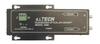
Electro Standards Laboratories A/B Relay Switch w/ Remote Serial Contrl Model 7232

Description
The PathWay® Model 7232 allows the user to switch between two RJ45 interface devices locally or remotely. Red LED's indicate the switch position as well as the front panel access locked status. The LED's in the steady state indicate the position of the switch. If the front panel access has been locked, both "A" and "B" position LED's will light when the pushbutton is pressed. Both LED's will remain lit until the button is released. Then they will return to the displaying position status. Remote access can be accomplished by RS232 commands sent via the Remote Serial Port. Users can remotely monitor status, control switch functions, and lockout the front panel pushbutton.
Datasheet
Description
The PathWay® Model 7232 allows the user to switch between two RJ45 interface devices locally or remotely. Red LED's indicate the switch position as well as the front panel access locked status. The LED's in the steady state indicate the position of the switch. If the front panel access has been locked, both "A" and "B" position LED's will light when the pushbutton is pressed. Both LED's will remain lit until the button is released. Then they will return to the displaying position status. Remote access can be accomplished by RS232 commands sent via the Remote Serial Port. Users can remotely monitor status, control switch functions, and lockout the front panel pushbutton.
Datasheet

Suppliers

Company
Product
Description
Supplier Links
A/B Relay Switch w/ Remote Serial Contrl - Model 7232 - Electro Standards Laboratories
Cranston, RI, USA
A/B Relay Switch w/ Remote Serial Contrl
Model 7232
A/B Relay Switch w/ Remote Serial Contrl Model 7232
The PathWay® Model 7232 allows the user to switch between two RJ45 interface devices locally or remotely. Red LED's indicate the switch position as well as the front panel access locked status. The LED's in the steady state indicate the position of the switch. If the front panel access has been locked, both "A" and "B" position LED's will light when the pushbutton is pressed. Both LED's will remain lit until the button is released. Then they will return to the displaying position status. Remote access can be accomplished by RS232 commands sent via the Remote Serial Port. Users can remotely monitor status, control switch functions, and lockout the front panel pushbutton.

The PathWay® Model 7232 allows the user to switch between two RJ45 interface devices locally or remotely. Red LED's indicate the switch position as well as the front panel access locked status. The LED's in the steady state indicate the position of the switch. If the front panel access has been locked, both "A" and "B" position LED's will light when the pushbutton is pressed. Both LED's will remain lit until the button is released. Then they will return to the displaying position status.

Remote access can be accomplished by RS232 commands sent via the Remote Serial Port. Users can remotely monitor status, control switch functions, and lockout the front panel pushbutton.

Supplier's Site Datasheet

Technical Specifications

  Electro Standards Laboratories
Product Category Serial Communications Products
Product Number Model 7232
Product Name A/B Relay Switch w/ Remote Serial Contrl
Device Type A/B Remote Switch
Serial Protocol RS232
Form Factor Desktop / Pedestal
Unlock Full Specs
to access all available technical data

Similar Products

Optical Asynchronous Ruggedized Mini Bit-Driver - 2560 - S.I. Tech, Inc.
Specs
Device Type Converter
Form Factor Panel
View Details
Serial Cards - 2133193 - RS Components, Ltd.
RS Components, Ltd.
Specs
Serial Protocol RS232; Rs232
Network / Bus Serial
Data Rate 922 kbps
View Details
RS485 Board with Dual RJ45 Connectors for Laureate™ Meters, Counters & Timers -  - Laurel Electronics LLC
Specs
Serial Protocol RS485
Connector RJ-11; RJ-45
View Details
ULI-341DC - USB to RS-422/485 (DB9 Male) Isolated Converter - BB-USO9ML4 - Advantech
Specs
Device Type Converter
Serial Protocol RS422; RS485
Form Factor Inline
View Details