Wacom Technology Corporation Intuos4 Small Pen Tablet

Description
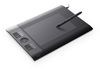
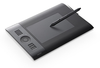
The small Intuos4 pen tablet is perfect for limited desktop areas or for those who want a highly portable, professional-level tablet that fits comfortably in a laptop bag. To achieve its compact size, Intuos4 Small has two fewer ExpressKeys than the other sizes of Intuos4 pen tablets and no illuminated displays. Instead, there is a default ExpressKey function called "show settings," which provides an on-screen, pop-up display showing the ExpressKey configuration. For more information on Wacom's line of Intuos pen tablets, please contact Wacom.
Description
The small Intuos4 pen tablet is perfect for limited desktop areas or for those who want a highly portable, professional-level tablet that fits comfortably in a laptop bag. To achieve its compact size, Intuos4 Small has two fewer ExpressKeys than the other sizes of Intuos4 pen tablets and no illuminated displays. Instead, there is a default ExpressKey function called "show settings," which provides an on-screen, pop-up display showing the ExpressKey configuration. For more information on Wacom's line of Intuos pen tablets, please contact Wacom.

Suppliers

Company
Product
Description
Supplier Links
The small Intuos4 pen tablet is perfect for limited desktop areas or for those who want a highly portable, professional-level tablet that fits comfortably in a laptop bag. To achieve its compact size, Intuos4 Small has two fewer ExpressKeys than the other sizes of Intuos4 pen tablets and no illuminated displays. Instead, there is a default ExpressKey function called "show settings," which provides an on-screen, pop-up display showing the ExpressKey configuration. For more information on Wacom's line of Intuos pen tablets, please contact Wacom.

The small Intuos4 pen tablet is perfect for limited desktop areas or for those who want a highly portable, professional-level tablet that fits comfortably in a laptop bag.

To achieve its compact size, Intuos4 Small has two fewer ExpressKeys than the other sizes of Intuos4 pen tablets and no illuminated displays. Instead, there is a default ExpressKey function called "show settings," which provides an on-screen, pop-up display showing the ExpressKey configuration.

For more information on Wacom's line of Intuos pen tablets, please contact Wacom.

Supplier's Site

Technical Specifications

  Wacom Technology Corporation
Product Category Digitizer Tablets
Product Number Intuos4 Small Pen Tablet
Unlock Full Specs
to access all available technical data

Similar Products

 - Intuos4 Bundle - Wacom Technology Corporation
Wacom Technology Corporation
View Details
 - sign&save | mobile - Wacom Technology Corporation
Wacom Technology Corporation
View Details